


Key facts
- Tap Square on PlayStation or X on Xbox while your QB is running to slide.
- Holding the same button makes your player dive instead, which carries more risk.
- Your QB has to be a runner past the line of scrimmage, or the button can throw to a receiver.
- Non-QB ball carriers use the same tap to give themselves up.
- EA lists Slide in the official ball carrier controls for PlayStation, Xbox, PC and Switch 2.
To slide in Madden 27, tap Square on PlayStation or X on Xbox once your quarterback has crossed the line of scrimmage with the ball. Tap it, don’t hold it, because holding the same button turns the slide into a dive. We have all watched a scrambling QB take a shot he didn’t need to take, and in Madden that shot can cost you a fumble or your starter. Here’s how to get the slide right every time.
How to slide in Madden 27, the short answer
You slide by tapping the slide button while your QB is running past the line of scrimmage. Tap Square/X while running or sprinting to fall to the ground and end the play. The whole thing takes about half a second, and most of the skill is in the timing, not the input.
- Call any play and snap the ball.
- Scramble with your QB and cross the line of scrimmage.
- Let go of sprint (R2 on PlayStation, RT on Xbox) as a defender closes in.
- Tap Square on PlayStation or X on Xbox once.
- Release the button immediately so the slide doesn’t become a dive.
Tap versus hold
The most important detail is that one button does two jobs. Holding Square/X triggers a dive, which can open you up for fumbles, so use it carefully. A clean tap gives you the feet-first slide, and a hold sends your QB headfirst into traffic like it’s 1990 and he’s trying to impress Marv Levy.
| Input | What happens | Risk level |
|---|---|---|
| Tap Square or X (QB, past the line) | QB slides feet first, play ends | Low |
| Hold Square or X | Ball carrier dives forward for extra yardage | Higher, fumble exposure |
| Tap Square or X (non-QB ball carrier) | Player gives himself up and goes down | Low |
| Tap Square or X (QB, behind the line) | Can throw to the receiver mapped to that button | Very high |
That last row is the one that gets people, and we’ll come back to it in the troubleshooting section.
Why the slide is worth learning
Sliding is a simple mechanic, but it’s one of the few in the game that protects you from yourself. A scramble that gains 9 yards and ends with a slide is a winning play. The same scramble that ends with your QB fighting for a 10th yard while two linebackers converge is how drives die and injuries happen in Franchise mode.
Pro tip: Think of the slide as a “save game” button for a good scramble. Once you’ve got what you came for, lock it in.
What you need before you can slide
You need a quarterback carrying the ball past the line of scrimmage, and that’s really it. No setting unlocks it, and no ability or X-Factor is required. To perform a quarterback slide in Madden NFL 27, your QB must first become a runner by crossing the line of scrimmage.
Platforms and versions
EA lists the slide in the official ball carrier controls for every version of the game. The Madden NFL 27 Xbox ball carrier controls reference shows mappings for Sprint, Protect Ball, Hurdle, Slide, Dive, Spin, Stiff Arm, Truck, Dead Leg, Juke, Pitch, and Celebration, and the PlayStation and Switch 2 pages list the same set. The PC ball carrier controls reference shows keyboard and mouse mappings for Player Movement, Sprint, Slide, Dive, Truck, Stiff Arm, Hurdle, Spin, Pitch Ball, and Celebration.
| Requirement | What it means in practice |
|---|---|
| Ball carrier is the QB | Other positions “give up” instead of sliding |
| Past the line of scrimmage | QB has become a runner, receiver icons are gone |
| Ball in hand, play still live | You can’t slide after a pitch or handoff |
| Any play call | Designed runs and broken pass plays both work |
Does the play call matter?
No, the play call doesn’t matter as long as your QB ends up running with the ball. A designed QB draw, a read option keeper and a busted Four Verticals where you take off up the middle all lead to the same place. If you want to change into a QB run at the line, our guide to the madden audible system covers how to switch plays before the snap.
What about ratings?
Older guides for previous Madden games claimed a QB needed a minimum Awareness rating to slide. EA’s Madden 27 controls pages don’t list any rating requirement for the slide, so treat that as old folklore unless you see the slide fail repeatedly with one specific QB. If that happens, the troubleshooting section below covers what’s actually going on most of the time.
Heads up: Madden 27 changed several control layouts compared with last year. EA said it reorganized the controls in a way that made far more contextual sense, so if you’re coming back from an older game, double-check your ball carrier buttons before kicking off.
Step-by-step: how to slide in Madden 27 cleanly
A clean slide comes down to four things: crossing the line, reading the defender, dropping sprint and a quick tap. Here’s each step in detail.

Step 1: Get your QB across the line
Scramble out of the pocket and get past the line of scrimmage before you touch Square or X. Until you cross, the game still treats your QB as a passer, and the face buttons belong to your receivers. Watch for the receiver icons to disappear; that’s your signal that the slide button is live.
Step 2: Read the closest defender
Find the defender with the best angle on you, not the one who looks scariest. The general rule many players use is to slide two or three steps before the defender reaches you. The animation needs a moment to start, and if the hit lands first, you get tackled and the slide never happens.
Step 3: Let go of sprint
Release R2 or RT a beat before you tap the slide button. Sliding at full sprint works, since the input is valid while running or sprinting, but the extra momentum makes the timing harder to judge. Dropping sprint gives you a cleaner, more predictable animation.
Step 4: Tap, don’t hold
Press Square or X and release it in one motion, like tapping a light switch. If you’re a nervous presser who mashes buttons when a linebacker shows up, practice this one in Practice Mode until it’s muscle memory.
A real scenario: Josh Allen on 3rd and 7
Say you’re running the Bills in Franchise, up 24-20 with 2:40 left, facing 3rd and 7 from your own 38. The coverage is tight, so you tuck it and take off up the middle. You hit the 46, which gives you the first down, and a safety is closing from 5 yards away.
- You already have the first down, so extra yards are a bonus, not a need.
- A slide in bounds keeps the clock running, which helps protect your lead.
- A dive or a fight for yards risks a fumble that hands the other side the ball near midfield.
Tap Square or X and go down. We’ve all seen what our QB does when he decides to hurdle somebody instead, and it’s thrilling until it isn’t. In this spot, the boring play wins the game.
Slide controls by platform
The slide is a tap of the face button on the left of your controller on PlayStation and Xbox, and EA’s official hubs list the mapping for PC and Switch 2. Slide with QB: Tap X on Xbox / Square on PlayStation · Give Up: Tap X on Xbox / Square on PlayStation · Dive: Hold X on Xbox / Square on PlayStation.
| Platform | Slide (tap) | Dive (hold) | Sprint |
|---|---|---|---|
| PS5 | Square | Square (hold) | R2 |
| Xbox Series X and S | X | X (hold) | RT |
| PC (controller) | Matches the Xbox layout when using an Xbox pad | X (hold) | RT |
PlayStation versus Xbox
There’s no difference in how the slide behaves between PS5 and Xbox Series X and S, only in the button name. Square and X sit in the same physical spot on each controller, so muscle memory carries over if you switch consoles.
PC players
The keyboard layout is where people get lost. In past games, the slide was bound to a single letter key, but Madden 27 reworked a lot of the controls, so check EA’s PC controls hub rather than trusting an old guide. Using a controller on PC is the easier route, since it follows the console layout.
Switch 2 players
EA’s Switch 2 page lists Slide in the Nintendo Switch ball carrier controls reference. Nintendo’s face button labels differ from Xbox’s, so go by button position on the official chart, not by the letter printed on the button.
Where to check in-game
You can check your current layout from the controls screen in the game’s settings, which lists ball carrier inputs by button. Check it first if you’ve changed controller presets, because a custom setup can move the slide away from the default button.
When to slide and when not to
Slide when the extra yards aren’t worth the hit, and don’t slide when you need the clock stopped or the yards themselves. That’s the whole decision. Everything else is detail.
Good times to slide
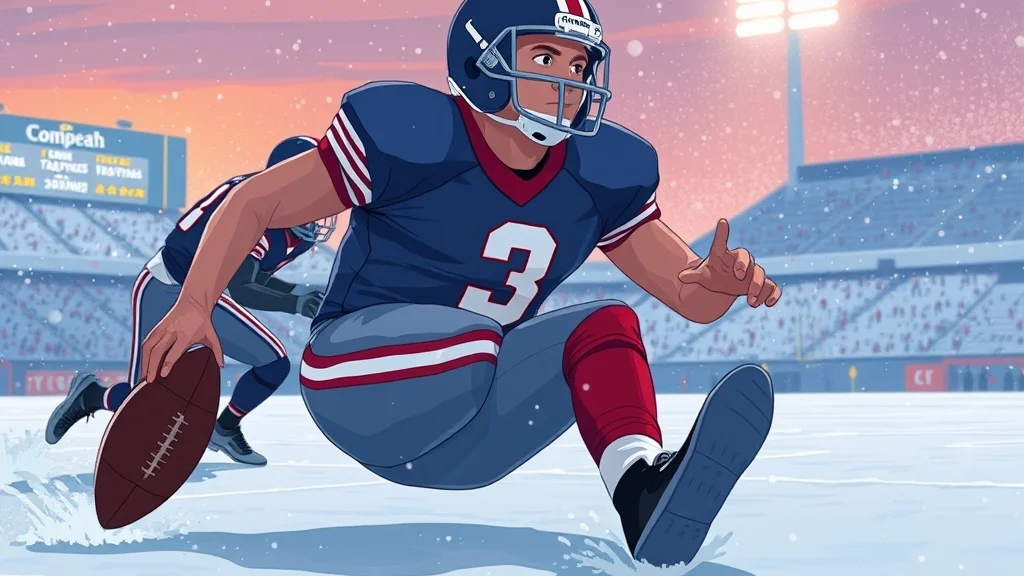
- You’ve already got the first down. Another 2 yards rarely matter compared with a fumble.
- You’re protecting a lead late. A slide in bounds keeps the clock moving.
- A big hitter has a clean angle. In Franchise, every avoidable hit on your QB adds risk.
- You’re in field goal range late. Giving the ball away there is the worst outcome on the board.
Times when sliding hurts you
- You need the clock stopped. If you’re trailing late, get out of bounds instead.
- You’re a yard short of the sticks. On 4th down or a must-have 3rd down, extend for the marker.
- You’re near the goal line. Reaching for the pylon or diving can be worth the risk there.
- Nobody is near you. Sliding with open grass in front of you is leaving yards on the table.
Slide or out of bounds or dive: a decision rule
| Situation | Best choice | Why |
|---|---|---|
| Leading late, defender closing in the middle | Slide | Clock keeps running, no hit |
| Trailing late, sideline within a few steps | Run out of bounds | Stops the clock |
| One yard short on 4th down | Dive | Every inch matters, accept the risk |
| First down gained, safety closing | Slide | Lock in the gain |
| Goal line, defender at the 1 | Dive or reach | Points beat caution |
My take: most players dive too often and slide too little. The dive feels aggressive and productive. The slide feels like quitting. But the slide is the move that keeps a 10-play drive alive, and that’s the sort of thing that wins games in January, as we know better than most.
Pro tip: Before a big drive, decide your “slide line” in your head. Once you pass the first-down marker, the slide is your default unless the situation says otherwise.
When the slide doesn’t work and how to fix it
When the slide fails, it’s almost always one of three things: you held the button, you pressed it behind the line, or you pressed it too late. Here’s how to tell which one happened.
Your QB dives instead
You held the button. Madden reads a hold as a dive, and it doesn’t take much. Fix it by consciously tapping and releasing, and practice it in Practice Mode until the quick tap is automatic. If your thumb rests heavily on the face buttons, lift it off between inputs.
Your QB throws the ball
This is the scariest one, and generic guides often skip it. Behind the line of scrimmage, the face buttons are still mapped to receivers. In older games, players noticed that the slide button will intervene with one of the receivers when the QB hasn’t become a runner. Press Square or X while scrambling behind the line and you may fire the ball to whoever is mapped to that button, which can mean a pick.
The fix is simple. Wait until the receiver icons disappear before you even think about the slide.
Your QB gets tackled before sliding
You waited too long. The slide animation needs a moment to start, and a defender who arrives first wins. Start the slide earlier, roughly two to three steps before contact, and let go of sprint first so your timing is cleaner.
A running back or receiver won’t slide
They aren’t supposed to. Non-QB ball carriers use the same tap to give up, which drops them to the ground and ends the play. It looks different but does the same job.
Troubleshooting checklist
- Did the receiver icons disappear before you pressed the button?
- Did you tap and release, or hold?
- Was the defender at least two steps away?
- Is the ball carrier actually the QB?
- Have you changed your controller preset in the settings?
Heads up: If none of the above explains it, check the controls screen. A custom or alternate controller setup can move the slide input away from Square or X.
Related ball carrier tricks worth knowing
The slide is one tool in the ball carrier kit, and it pairs well with a few others that every scrambling QB should use. EA’s controls hub lists Protect Ball, Hurdle, Dive, Spin, Stiff Arm, Truck, Dead Leg, Juke and Pitch alongside the slide on every console platform.
Moves to pair with the slide
| Move | Default input (PS5 / Xbox) | When it helps a scrambling QB |
|---|---|---|
| Dive | Hold Square / Hold X | Extra yard on 4th down or near the goal line |
| Give Up | Tap Square / Tap X | Ends the play for non-QB ball carriers |
| Pitch | L1 / LB | Option plays before contact |
| Spin | Circle / B or rotate right stick | Making the first defender miss |
| Juke | Right stick sideways | Creating space in the open field |
The input for Pitch comes from the ball carrier layout: Pitch: LB on Xbox / L1 on PlayStation. For the spin, you can use O/B or rotate the right analog stick.
Stiff arm first, slide second
A strong pattern for mobile QBs is to beat the first defender with a move, then slide before the second one arrives. A stiff arm buys a couple of yards against a smaller defensive back, and our guide on how to stiff arm in madden 27 covers the timing. Once that’s done, don’t push your luck against the pursuit. Slide.
Juke and hesi for setting up the slide
For a Hesi, while running (R2/RT), tilt the right analog stick back before moving it to any direction. A hesi can freeze a pursuing linebacker for a step, and that one step is often the difference between a clean slide and a late hit.
Where to go next
The slide fixes one bad habit, but most scrambles start with a play that broke down earlier. If you want to tighten up the rest of your game, from Franchise building to Ultimate Team, our madden nfl hub collects all of our Madden 27 guides in one place.
FAQ
What button is slide in Madden 27?
Tap Square on PlayStation or X on Xbox while your quarterback is running with the ball. On PC and Switch 2, check EA’s official controls hub for your device.
Why does my QB dive instead of slide in Madden 27?
You held the button instead of tapping it. A hold triggers the dive, so press and release in one quick motion.
Why did my QB throw the ball when I tried to slide?
You pressed the slide button before crossing the line of scrimmage, while receiver icons were still active. Behind the line, Square or X throws to the receiver mapped to that button.
Can running backs slide in Madden 27?
No, not in the QB sense. The same tap makes a non-QB ball carrier give themselves up and go down, which ends the play much like a slide does.
Does sliding stop the clock in Madden 27?
No. A slide in bounds ends the play, but the clock keeps running, which is why sliding is useful for protecting a late lead.
Is it better to slide or run out of bounds?
Run out of bounds when you need to stop the clock and the sideline is close. Slide when you want the clock running or when a defender is about to hit you in the middle of the field.
Sources


2 comments