
Key facts
- In Madden 27, press Square on PlayStation or X on Xbox before the snap to open the audible menu.
- Use the D-Pad inside the audible menu to move between formations, then pick the new play.
- On defense, Square or X is the audible and Triangle or Y is the coverage audible.
- Custom Adjustments let you build up to 20 offensive and 20 defensive macros and bring 10 into each game.
- Madden 27 launched August 13, 2026 on PS5, Xbox Series X and S, Nintendo Switch 2 and PC.
To audible in Madden 27, press Square on PlayStation or X on Xbox at the line before the snap, use the D-Pad to pick a formation, and choose your new play. It works on offense and defense, and it’s how you get out of a run into a stacked box before it costs you a down. Here’s the full walkthrough, plus the mistakes that still trip all of us up.
How do you audible in Madden 27? The short answer
You audible in Madden 27 by opening the audible menu at the line with Square or X and picking a new play before the ball is snapped. Multiple control guides published after launch confirm the same layout: press Square/X to see a list of plays, and use the D-Pad to switch between different formations.
Here’s the whole thing in one list:
- Break the huddle and look at the defense (or the offense, if you’re defending).
- Press Square (PS5) or X (Xbox) to open the audible menu.
- Use the D-Pad to move to the formation you want.
- Press the button shown next to the play you want.
- Make any final tweaks like hot routes, protection or coverage, then snap the ball.
That’s it for the basic version. The parts people get wrong come later: which plays actually show up in the menu, how much time you’ve got, and when the smart move is to leave the play alone.
Offense and defense use the same button
Square or X opens the audible menu on both sides of the ball. On defense there’s a second, smaller tool too. One controls breakdown lists Coverage Audible on Y or Triangle and Audible on X or Square in the defensive pre-play layout. A full audible changes the whole call. A coverage audible changes only the coverage shell, so your front and blitz stay the same.
What an audible actually is
An audible is a play change at the line of scrimmage, before the snap. You make one when the formation you’re looking at makes your original call a bad idea. The classic example is noticing the defense is ready to blitz and switching from a running play to a passing play. If you’re running hurry-up, it matters even more, since audibles are also the only way to change plays in a no-huddle offense.
Pro tip: Get in the habit of checking the defense the second you break the huddle. The audible menu is fast, but the play clock doesn’t care how fast you are.
What you need before you audible in Madden 27
The only thing you need is a copy of Madden NFL 27 and a play called that hasn’t been snapped yet. Nothing has to be unlocked, and every mode with on-field control works the same way: Franchise, Ultimate Team, Head to Head and the rest.
Platforms and version
Madden NFL 27 launched worldwide on August 13, 2026, and it’s available on PlayStation 5, Xbox Series X|S, Nintendo Switch 2, and PC through the EA app, Steam, and Epic Games Store. There’s no PS4 or Xbox One version, so if you’re on last-gen hardware you’re still running an older Madden with its own pre-snap menus.
| Platform | Audible button | Notes |
|---|---|---|
| PlayStation 5 | Square | Coverage audible on Triangle (defense) |
| Xbox Series X and S | X | Coverage audible on Y (defense) |
| PC with controller | Square or X, depending on pad | Follows the PlayStation or Xbox layout |
What changed in Madden 27’s pre-play setup
This year’s pre-snap system got a real overhaul, so if you’re coming from Madden 26, don’t expect your muscle memory to carry over completely. One controls guide sums up the change: EA fundamentally restructured the entire pre-play experience and unified protection controls under a single trigger. The audible button itself didn’t move, which is good news. What moved is everything around it: protection, coverage tweaks and the new Custom Adjustments.
Custom Adjustments let you create up to 20 offensive and 20 defensive macro adjustments, though you can only bring 10 active adjustments into any single game. Think of them as pre-built pre-snap packages. We’ll get into how they fit with audibles further down.
Settings worth checking first
Before your first online game, open the controls screen from the pause menu and confirm your layout is on default. If you’ve remapped buttons or borrowed a buddy’s controller profile, Square might not open audibles anymore, and finding that out on third-and-6 is no fun. If you’re looking for the rest of this season’s guides, our Madden 27 hub covers Franchise, Ultimate Team and ratings.
Step-by-step instructions for audibles in Madden 27
Calling an audible takes about two seconds once you know where everything is. Here’s each step in detail, on both sides of the ball.
On offense
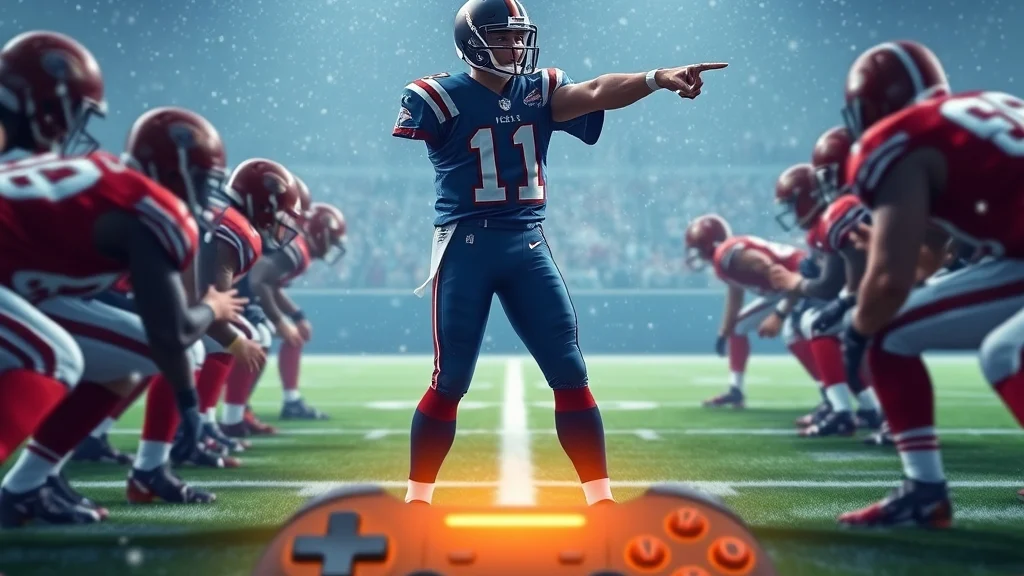
- Read the box first. Count defenders between the tackles and look at the safeties. One deep safety with eight near the line means trouble for an inside run. Two deep safeties with a light box is usually an invitation to run.
- Press Square or X. The audible menu opens over the field, and your offense stays set.
- Move between formations with the D-Pad. The menu shows plays from your audible set, sorted by formation.
- Press the button next to the play you want. Your players reset into the new look.
- Make your final tweaks. Hot routes, protection and motion all still work after an audible. Protection now sits on one trigger, with the Offensive Protection Hub on L2 or LT.
- Snap it. Don’t stand there admiring your work while the clock runs out.
On defense
- Read the formation and personnel. Empty sets, bunch looks and heavy run personnel all call for different answers.
- Pick your tool. If the whole call is wrong, use Square or X for a full audible. If only the coverage is wrong, use the coverage audible on Triangle or Y.
- Pick the new play or coverage with the matching button.
- Layer your adjustments. Madden 27 gives defenders a centralized Global Coverage Adjustment hub, so shading and leverage go on top of the audible.
- Pick your player and get ready for the snap.
A worked example with the Bills
Say you’re running the Bills in Franchise, first quarter, second-and-4 at midfield. You called an inside zone out of 11 personnel. You break the huddle and the defense walks a safety down. Now there are eight in the box and one safety deep.
Running into eight hats with seven blockers is how you end up with third-and-5. So you press Square or X, stay in the same formation with the D-Pad, and switch to a quick slant-flat concept. With only one deep safety and press on the outside, Josh Allen gets a one-on-one look and the ball comes out before the pressure gets home. Same personnel, same formation, totally different answer. That’s the whole point of an audible.
Heads up: If you audible out of a run and the defense shows blitz, check your protection on L2 or LT before the snap. A great pass call against six rushers still needs six blockers.
Madden 27 audible controls by platform
The audible controls are the same on PlayStation and Xbox apart from button names, and Square or X opens the menu on both sides of the ball. EA’s official controls reference covers the defensive pre-play layout, showing controller mappings for Show Play Art, Defensive Keys, X-Factor Vision, Audibles, Switch Player, Defensive Hot Route, Player Lock, and Pre-Play Menu.
Offensive pre-play controls
| Command | PlayStation 5 | Xbox Series X and S |
|---|---|---|
| Open audible menu | Square | X |
| Change formation in audible menu | D-Pad | D-Pad |
| Offensive Protection Hub | L2 | LT |
| Pre-play menu | R3 | RS |
| Subs menu | D-Pad Up | D-Pad Up |
| Fake snap | R1 | RB |
These come from published layouts: the Pre-Play menu is on R3/RS before the play begins, and the Subs menu is on Up on the D-Pad, while Fake Snap sits on R1 or RB.
Defensive pre-play controls
| Command | PlayStation 5 | Xbox Series X and S |
|---|---|---|
| Audible | Square | X |
| Coverage audible | Triangle | Y |
| Switch player | Circle | B |
PC and Switch 2
On PC, most of us use a controller, and the game reads it as either a PlayStation or Xbox layout, so the tables above apply. If you play on keyboard, open the controls settings in the pause menu and look for the Audible binding, since it isn’t the same as on a pad. On Switch 2, the face buttons are labeled differently from Xbox, so check the in-game controls screen rather than going by where the button sits on the pad.
The one platform difference that matters in real games is button naming, not function. Every version has the same audible menu, the same D-Pad formation cycling and the same Custom Adjustments limits.
Pro tip: Inside the audible menu, keep your thumb on the D-Pad and your eyes on the field. The defense often rotates while you’re browsing, and you want to see it happen.
When to audible in Madden 27 and when not to
Audible when the defensive look beats your call. Leave it alone when the look is neutral or already favors you. That sounds obvious, but most of us audible way too often, usually because we panic at a look we don’t recognize.
A simple decision rule
| What you see | Your call | Audible? |
|---|---|---|
| 8 in the box, 1 deep safety | Inside run | Yes, to a quick pass |
| Light box, 2 deep safeties | Deep pass | Yes, to a run |
| Cover 0, nobody deep | Slow-developing route | Yes, to a quick throw or extra protection |
| Neutral 7-man box | Balanced call | No, run your play |
| Defense showing blitz on 3rd and long | Screen | No, let it work |
Why holding the call is sometimes better
Every audible tells your opponent something. If you check out of every run against a loaded box, a human opponent will figure that out within a quarter and start showing pressure just to bait you into the same pass every time. A good opponent wants you to audible.
Think of the old K-Gun Bills. Jim Kelly ran the no-huddle and called plays at the line, and the whole point was that defenses couldn’t substitute or disguise against it. The lesson still holds in Madden: an audible works because it surprises the defense, not because you make one every snap.
Defensive timing
On defense, the timing is backwards. Audible late, but not too late. If you switch your call while the offense is still shifting, a sharp opponent just audibles again and gets the last word. Wait for the formation to settle, then make your change. If you only need to fix the coverage, use the coverage audible instead of a full audible, since your front stays put and you give away less.
My take: on offense, keep audibles to the plays that are clearly wrong. On defense, lean on coverage audibles and adjustments, and save full audibles for real mismatches like empty sets against a heavy run front.
When the Madden 27 audible doesn’t work and how to fix it
When an audible won’t open or the play you want isn’t there, it’s almost always the play clock, your audible set or your controller setup. Here are the common problems and fixes.
Common problems and fixes
- The menu won’t open. Check your controller mapping in the pause menu settings. Remapped buttons are the top cause, especially on PC and on shared controllers.
- The play clock runs out. Online games eat the clock fast. If you’re under about 8 seconds, skip the audible and use a hot route or protection change instead.
- The audible worked but the defense adjusted. That’s not a bug, it’s football. Your opponent saw the reset and called something new. Next time, audible earlier so you still have time to respond.
- The personnel changed. Formations that need different personnel can mess up your matchups. If it suddenly looks like your tight end is lined up wide, check the Subs menu on D-Pad Up between plays.
Mistakes players make
The biggest mistake is audibling without reading the box. You see a scary formation, panic, and switch to something that’s worse against the actual coverage. The second is forgetting that an audible resets your hot routes, so the custom route you set earlier is gone after you switch plays. The third is audibling from the huddle out of habit, before the defense has even lined up.
Heads up: If you made hot routes or motion before audibling, redo them after the new play loads. Assume the audible wiped them out.
Related audible tricks worth knowing in Madden 27
The best audible tools in Madden 27 are Custom Adjustments, fake snaps and the separate coverage audible, and together they cover most of what a full play change would do.
Custom Adjustments as a pre-built audible package
Custom Adjustments are the year’s biggest pre-snap addition. One guide describes it as building your own audible package. Since you can only bring 10 active adjustments into a game, don’t fill those slots with things you’ll never use. A good offensive setup covers a blitz answer, a run-heavy look answer and a two-minute package. A good defensive setup covers empty sets, bunch formations and a cover-0 changeup.
Fake snaps and reading the reset
The fake snap on R1 or RB pairs nicely with audibles. Fake first to see whether a blitzer gives himself away, then audible based on what you saw. It costs a little clock, so save it for third downs and the red zone.
Coverage audibles instead of full audibles
On defense, a coverage audible on Triangle or Y keeps your front and pressure and changes only the coverage behind them. For most defensive problems that’s the cleaner fix, because a full audible tells the offense a lot more about what you’re doing.
Build your audible set around your playbook
Your audible set should cover your playbook’s weak spots. If your base offense is run-first, make sure every formation has at least one quick pass ready. If it’s pass-heavy, keep a draw or inside run on hand for light boxes. Set it up once between games, and you won’t have to think about it again until the playoff run.
FAQ
What button is audible in Madden 27?
Press Square on PlayStation or X on Xbox at the line of scrimmage before the snap. The same button opens audibles on both offense and defense.
Can you audible to a different formation in Madden 27?
Yes, use the D-Pad inside the audible menu to cycle formations. Your options come from your audible set, so a formation you never added won’t show up.
What is a coverage audible in Madden 27?
It’s a defensive pre-snap command on Triangle or Y that changes your coverage shell without calling a whole new play. Use it when the coverage is wrong but the front and pressure are fine.
Do audibles work in no huddle?
Yes, and in no huddle they’re your main way to change plays, since you skip the full play call screen. That makes a well-built audible set even more important when you’re running hurry-up.
What are Custom Adjustments in Madden 27?
They’re saved macro adjustments you build before the game, up to 20 for offense and 20 for defense. You can bring 10 active adjustments into any single game.
Why can’t I audible in Madden 27?
The usual causes are calling it after the play clock is nearly gone, being in a mode where the CPU handles pre-snap, or trying to reach a formation that isn’t in your audible set. Open the menu earlier and check your audible setup between games.
Sources




1 comment