
Key facts
- The onside kick is in the Kickoff formation under the NFL Onside Kick set, and the set has one play.
- You want a short, low, bouncing kick that travels just past 10 yards and stays in bounds.
- Aim at a gap between two return-team players, not straight at a player’s chest.
- After the kick, switch to your coverage player closest to where the ball lands and go get it yourself.
- Madden NFL 27 launched August 13, 2026 on PS5, Xbox Series X and S, Nintendo Switch 2 and PC.
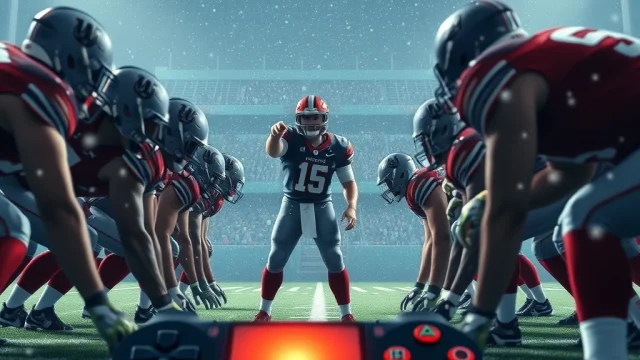
To onside kick in Madden 27, pick the Onside Kick play from the Kickoff formation. Aim at a gap on the side where your players are stacked, and kick the ball low and short so it bounces just past 10 yards. Then grab control of the nearest coverage player and go get the ball yourself. It’s the highest-variance play in the game, so the steps below cover when it’s worth the risk too.
The Short Answer on How to Onside Kick in Madden 27
The Madden 27 onside kick takes six steps, and most attempts are won or lost in the last two. Here’s the full sequence in one list.
- On a kickoff, open the special teams play call screen and pick the Kickoff formation.
- Choose the NFL Onside Kick set and select Onside Kick.
- Check the return team’s alignment and find the gap on the side your players are bunched toward.
- Aim with the left stick, then use the kick meter for low, controlled power.
- As soon as the ball is kicked, switch to the coverage player closest to where it will land.
- Get to the ball and fall on it. Don’t try to return it.
The play itself is simple. In the playbook, the NFL Onside Kick set is the Kickoff formation’s recovery package. Its purpose is to get the ball back rather than pin the return team deep. The only play in the set is Onside Kick, so the entire strategic layer comes from execution. You won’t win this with a clever play call. You win it with aim, power and your own hands on the controller.
What a good onside kick looks like
You’re aiming for a short, ugly, hard-to-field ball, not a pretty one. The best target is a short, bouncing kick that travels just past 10 yards and stays in bounds. A ball that sails high gives the return team time to settle under it. A ball that dies at 8 yards is a penalty and terrible field position.
Why the details matter
We’ve all watched a team scrape out a late touchdown, call the onside, and kick it straight to the one guy on the hands team with good hands. The difference between that and a recovery usually comes down to where you aimed and who you controlled after the kick. Those two habits make up most of this guide.
What You Need Before You Try a Madden Onside Kick
You need the right game state, the right version and a few minutes in practice mode. The onside kick shows up on every kickoff, but whether you can actually call it may depend on the rules your game is using.
Version and platforms
Madden NFL 27 launched worldwide on August 13, 2026. It’s on PlayStation 5, Xbox Series X and S, Nintendo Switch 2, and PC through the EA app, Steam, and the Epic Games Store. The onside kick works the same way on every platform. Only the button labels change, and the controls table further down covers those.
Kickoff rules and situation limits
The NFL’s dynamic kickoff rules changed how onside kicks work, and Madden follows them. Under those rules a team has to declare an onside kick, so the return side knows it’s coming. Also, depending on the Madden version and kickoff ruleset you are playing under, onside attempts may need to be declared or may be restricted to specific game situations.
Requirements checklist
| Requirement | What to check | Why it matters |
|---|---|---|
| Game state | You’re kicking off after a score | The onside set only appears on kickoffs |
| Ruleset | Default NFL rules or custom league settings | Some rulesets limit when you can declare an onside kick |
| Kicker | Kick power and kick accuracy ratings | Accuracy decides whether the ball goes where you aimed |
| Practice reps | Several attempts in practice mode | The kick meter feels different from a deep kickoff |
| Timeouts | Count before you score | They decide whether onside is even your best option |
Pro tip: Do your onside reps in practice mode, not in the fourth quarter of a Franchise game you care about. Ten minutes of reps will teach you more about the meter than any written guide.
For more mode-by-mode help, our Madden 27 hub has guides for Franchise, Ultimate Team and ratings.
Step-by-Step Instructions for a Madden 27 Onside Kick
Each step below has a specific job, and skipping any of them is how most onside kicks go wrong. Here’s what we’re working with.
Step 1 and 2: Call the play
On the kickoff, go to the special teams play call screen and pick Kickoff, then the NFL Onside Kick set. You need to select the onside kick option from the kickoff menu before the kick. Picking the play changes your formation. This set loads the kicking unit into a tighter, recovery-focused alignment, with players stacked toward the side where the kick is aimed.
Step 3: Read the return team
Before you kick, look at how the receiving team lined up. If the return team shows a deep safety look with no players crashing forward, they are not expecting an onside kick and your recovery odds improve significantly. If they’ve loaded up one side, kick the other way. If they stack extra blockers to one side, aim the kick away from that numbers advantage.
Step 4: Aim and power
This is where most players blow it. Aim the kick toward a seam between two receiving team players rather than directly at a defender’s chest, since a mishit at a body invites an easy fair catch or clean fielding. On power, think control, not distance. A low, driven ball that bounces before it reaches the hands team is much harder to field than a high pop.
Step 5 and 6: Take control and recover
When the ball leaves the tee, change players right away. Immediately switch to the coverage player closest to the landing zone. Manually controlling your best ball skills player near the point of impact lets you react to the bounce instead of relying on CPU teammates to make the recovery. Once you’re on the ball, secure it. A recovery at midfield beats a fumbled return attempt every time.
Heads up: The ball has to go 10 yards before your team can legally touch it. If you dive on it at the 44 when you kicked from the 35, it’s a penalty, not a recovery.
Madden 27 Onside Kick Controls by Platform
The onside kick uses the same inputs as a normal kickoff. You aim with the left stick and set power and accuracy with the kick meter, then switch players with the player-switch button once the ball is in the air. Madden’s default kicking has used a right-stick meter in recent years: pull back to load power, then push forward to kick. Button labels differ by platform, and the table below lays them out.
| Action | PS5 | Xbox Series X and S | PC (controller) | Nintendo Switch 2 |
|---|---|---|---|---|
| Aim the kick | Left stick | Left stick | Left stick | Left stick |
| Kick meter | Right stick, pull back then push forward | Right stick, pull back then push forward | Right stick, pull back then push forward | Right stick, pull back then push forward |
| Switch player after kick | Circle | B | Same as Xbox layout | Matching face button |
| Call timeout before kick | Touchpad | View button | Same as Xbox layout | Minus button |
Platform differences worth knowing
The mechanics match across platforms, but the feel doesn’t always. Players on PC with keyboard and mouse will find the right-stick kick meter awkward, and almost everyone who kicks well on PC uses a controller. Switch 2 players using the Joy-Con 2 controllers have shorter stick throw, which makes small power adjustments a little twitchier. If your onside kicks keep sailing on Switch 2, try a Pro Controller before you blame the kicker.
Checking your own bindings
If you’ve remapped buttons, the defaults above won’t match your setup. You can check your bindings in the controls section of the Settings menu before kickoff. That’s especially worth doing on PC, where keyboard bindings vary a lot from player to player.
Pro tip: Switch players the moment your foot hits the ball, not when it lands. Waiting until the ball lands to switch costs you about half a second, and that’s usually the whole recovery.
When to Onside Kick in Madden 27 and When Not To
Onside kick when you’re losing late and can’t count on getting the ball back any other way. Otherwise kick deep. That decision is worth more than any aiming trick, because recovery odds are low even when you execute well.
The decision rule
Here’s the rule I use. If you’re down one score with two or more timeouts and over two minutes left, kick deep and play defense. If you’re down two scores, or down one score with zero or one timeout inside two minutes, onside is your best option. The play is best saved for when you are trailing late with limited timeouts and a standard kickoff and defensive stop would burn too much clock.
| Situation | Timeouts left | Clock | Call |
|---|---|---|---|
| Down 1 score | 2 or 3 | Over 2:00 | Kick deep, play defense |
| Down 1 score | 0 or 1 | Under 2:00 | Onside kick |
| Down 2 scores | Any | Under 4:00 | Onside kick |
| Tied or leading | Any | Any | Kick deep |
| Down 1 score early in game | Any | Any | Kick deep |
A real scenario
Say you’re running the Bills in Franchise against the Chiefs, because of course it’s the Chiefs. You score a touchdown and go for two to cut it to 31-23 with 1:48 left, and you have one timeout. A deep kickoff means Kansas City runs the ball three times, you burn your timeout, and you get it back with maybe 40 seconds and no timeouts. That’s not a comeback, that’s a formality.
So you call the onside. Kansas City has their hands team stacked left, so you aim right, toward the seam between the second and third players. You kick it low, switch to your gunner on the right side and fall on it at your own 47. Now you have 1:44 and a timeout, which is a real chance. If you lose the onside, they start near midfield and you lose the game, which was going to happen anyway.
Sometimes the onside isn’t the play at all. With a fourth-quarter lead to protect, managing the clock matters more, and our guide on how to call timeout in Madden 27 covers the buttons and the timing.
When the Madden 27 Onside Kick Does Not Work and How to Fix It
When a Madden 27 onside kick fails, it’s usually your aim, your power or how fast you switched players, and each one has a specific fix. A few of these mistakes come up in almost every lost attempt.
Common mistakes and fixes
| Problem | What happened | Fix |
|---|---|---|
| Ball sails over everyone | Too much power on the meter | Ease off the push, you want a low ball, not a pooch |
| Ball stops short of 10 yards | Too little power | Practice the meter until a short kick is repeatable |
| Hands team fields it cleanly | Kicked right at a player | Aim at the seam between two players |
| Ball goes out of bounds | Aimed too close to the sideline | Aim a few yards inside the numbers |
| Your CPU player runs past the ball | You let the AI handle recovery | Switch to the nearest coverage player right away |
| Opponent was ready for it | Obvious situation, predictable call | Mix in normal deep kickoffs earlier |
The predictability problem
The hardest problem to fix is that everyone knows it’s coming. If your opponent is human, they’ll often load up a hands team the moment you score late. One setup step helps. Combine this with a standard deep kickoff earlier in the game so the onside attempt catches the opponent off guard instead of being the expected call in an obvious situation.
When the onside option isn’t there
If you can’t find the onside set at all, check two things. First, make sure you’re on a kickoff and not a free kick after a safety. Second, check your league or game settings, since the ruleset may restrict when you can declare onside. In online play, you can’t change those settings, so plan around them.
Defending one yourself
The same lessons apply when you’re the one receiving. Use the hands team look: Onside Heavy is the hands team look in the Kick Return formation and exists for one job: securing the football when you expect the kicking team to try an onside kick. Then take control of the player nearest the bounce and fall on it. Don’t try for a highlight return.
Related Special Teams Tricks Worth Knowing
The onside kick is one of a few special teams plays that can swing a close Madden game, and they all reward the same skills. Players who get good at one usually get better at the others.
The fake punt
The fake punt is the onside kick’s cousin, a call you make when the normal play loses the game anyway. It also depends on reading the defense’s alignment before the snap. Our walkthrough on the Madden fake punt covers which fake punt plays to call and the looks that tip you off that the opponent is ready for it.
Timeout math before you score
The best onside kick setups start on the drive before. If you save timeouts while scoring, you may not need the onside at all, because a deep kick and a three-and-out gets the ball back anyway. Teams that burn every timeout on offense end up stuck with the onside. Old Bills fans know how much a late drive comes down to clock management.
The hands team read on defense
On the receiving side, watch the kicking formation. Get your best hands catchers on the field the instant you see the offense show an unbalanced onside look pre-snap, since the kicking team formation will bunch to one side of the ball. That compressed hands team look puts maximum body count in the ten to fifteen yard recovery window, where onside kicks are most often placed.
Practice routine
Here’s a five-minute routine before a big online game:
- Run 10 onside kicks in practice mode, aiming left.
- Run 10 more aiming right.
- Note the meter position that gets the ball to 11 or 12 yards most often.
- Practice switching to the nearest coverage player on every rep.
- Finish with five reps against the hands team look so you can see what a contested ball looks like.
Heads up: A recovery in practice mode against a CPU return team is easier than one against a human who’s watching for it. Treat your practice success rate as a best case.
FAQ
Can you do a surprise onside kick in Madden 27?
Not really. Madden follows the NFL’s declared onside rules, and the kicking unit visibly bunches to one side before the kick, so a sharp opponent will see it coming. Running a few normal deep kickoffs earlier in the game helps more than trying to hide the onside.
Where is the onside kick in the Madden 27 playbook?
Go to the Kickoff formation on the special teams play call screen and open the NFL Onside Kick set. Onside Kick is the only play in that set.
How far does an onside kick have to go in Madden 27?
It has to travel 10 yards before your team can legally recover it. The target is a low, bouncing kick that goes just past 10 yards and stays in bounds.
How do you defend an onside kick in Madden 27?
Call the hands team from the Kick Return formation, either Onside Heavy or Onside Small, and run Onside XL. Then take control of the player closest to where the ball lands and secure it instead of trying to return it.
Should I onside kick when I’m down by one score with timeouts left?
Usually not. With two or three timeouts and over two minutes left, a deep kickoff and a defensive stop gives you better odds than a coin-flip onside kick that hands your opponent a short field.
Does practice mode let you practice onside kicks?
Yes. Practice mode in Madden lets you run special teams plays over and over, so you can learn the kick meter and your aiming before you try it in a real game.
Sources