
Key facts
- In NHL 27, you hold LB on Xbox or L1 on PS5 to use the deke modifier in all three control schemes.
- Total Control puts skill moves on single button presses, while Skill Stick uses the right stick.
- A quick deke is a tap of LB or L1, and the windmill deke is LB or L1 plus the right stick.
- NHL 27 launched September 11, 2026 on PS5 and Xbox Series X and S.
- Most failed dekes come from too much speed, a defender who is too close, or too many moves in the slot.
To deke in NHL 27, you hold the deke modifier (LB on Xbox, L1 on PS5) and then use a face button in Total Control or the right stick in Skill Stick. That’s how you get into it. Actually beating somebody with it is about timing and distance, and we’ve all thrown a gorgeous between-the-legs move straight into a poke check. Here’s how to get the goal instead of the turnover.
The short answer in seven steps
The quick version: pick a control scheme, hold LB or L1, start the move at the right distance, and shoot as soon as you’re through. EA’s official Xbox controls layout lists a Deke Modifier (Hold) and a Skill Stick input on the controller, and the same modifier is used for every scheme.
- Open your controller settings and pick Total Control, Skill Stick, or Hybrid.
- Carry the puck with control, not at full hustle.
- Hold LB (Xbox) or L1 (PS5) to activate the deke modifier.
- Start the move about a stick length and a half from the defender or goalie.
- Press the skill move button (Total Control) or flick the right stick toward open ice (Skill Stick).
- Let go of the modifier and shoot or pass right away.
- Run each move in Practice mode until you can do it without looking at the controller.
The three types of NHL dekes
Not every deke is a highlight-reel move. NHL 27 deking really comes in three types, and knowing which one you need is half the battle.
| Deke type | Input (Xbox / PS5) | What it does | Best moment |
|---|---|---|---|
| Quick deke | Tap LB / Tap L1 | Short puck shift to change the angle | Defender reaching in at the blue line |
| Windmill deke | LB + right stick / L1 + right stick | Wide sweeping puck move | Speed rush wide on a defenseman |
| Skill moves (toe drag, lacrosse, between the legs) | Hold LB / L1 + face button (Total Control) | Scripted dangle | One-on-one in the slot or on a breakaway |
Both the quick deke (a tap of LB or L1) and the windmill deke (LB or L1 plus the right stick) are listed in NHL 27 control breakdowns. The skill moves are the fancy ones. They’re also the ones that get you in trouble.
Pro tip: Use one deke to make the defender commit, then go. Your second move should almost always be a shot or a pass, not another dangle.
What you need before you start deking
You need a copy of NHL 27 on a current console, a control scheme you’re comfortable with, and a skater who can actually handle the puck. NHL 27 is the 36th installment in the series and released for the PlayStation 5 and Xbox Series X/S on September 11, 2026. There’s no PC version and no last-gen version, so the controls below cover every way to play.
Pick your control scheme
This decision matters more than any single move. The control scheme you choose decides how you shoot, pass, and deke, and switching mid-season feels like learning a new language.
| Scheme | How dekes work | Who it’s for |
|---|---|---|
| Total Control | Hold LB/L1 plus a face button for each skill move | New players and anyone who wants reliable dekes |
| Skill Stick | Right stick handles the puck, LB/L1 adds advanced moves | Veterans who want full manual control |
| Hybrid | Mix of button moves and right stick input | Players moving from Total Control to Skill Stick |
My take: start on Total Control even if you’ve played since the days of NHL 94. It lets you trigger dekes with a single button, so you can focus on skating, reading the play, and finding open ice instead of fighting the right stick. Once your positioning is automatic, Skill Stick opens up more moves.
Your player’s attributes matter
The inputs are the same for everyone, but the results aren’t. A skater with high deking, puck control, and hand-eye ratings will hold the puck through moves that a stay-at-home defenseman will cough up. In Franchise Mode you can choose who carries the puck on each shift. In Be a Pro you’re stuck with your guy, so a young player with low ratings should keep his dekes simple until his attributes go up.
NHL 26 players, take note
If you’re coming from last year’s game, the deke modifier is still LB or L1. EA’s NHL 27 Xbox controls hub still uses its NHL 26 Total Control offense labels, including Deke (Hold), Toe Drag, Lacrosse, Between Legs, and Shoot/Deke, which tells you the core layout didn’t get reshuffled. Your muscle memory carries over.
How to deke step by step
The core motion is the same in every scheme: get control, hold the modifier, make the move, then shoot or pass. The details depend on whether you’re pressing buttons or working the stick.
Deking in Total Control
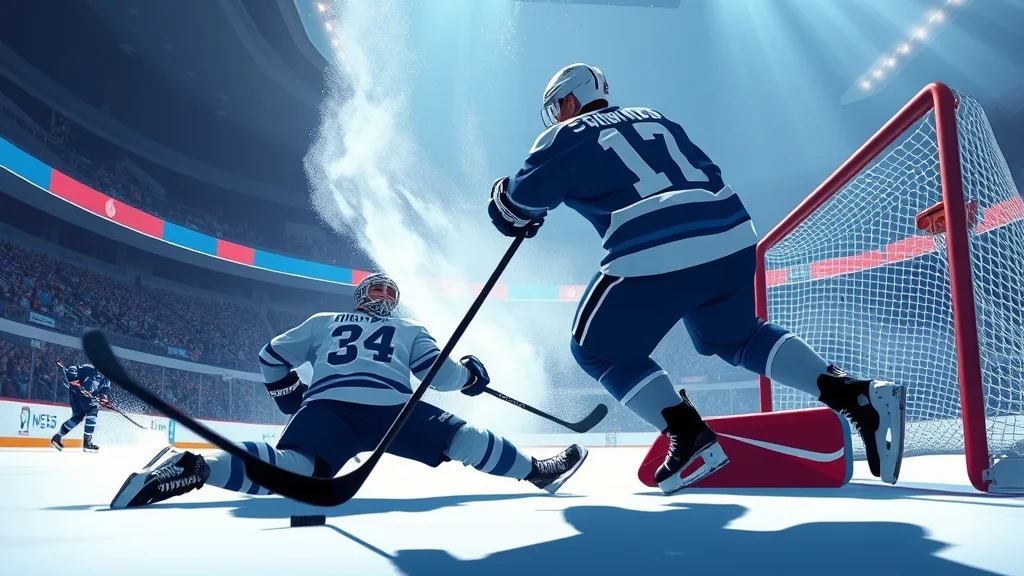
- Skate into the zone with the left stick. Skip hustle in the last few strides.
- Hold LB (Xbox) or L1 (PS5).
- Let go of the modifier as the animation finishes.
- Shoot or pass right away.
The game handles the stick work for you, which is why EA introduced Total Control skill moves in NHL 24 so players could do complex dekes with the tap of a single button. The tradeoff is that the move plays out the same way every time, so a smart opponent will read it if you spam it.
Deking in Skill Stick
In Skill Stick, moving the right stick left and right stickhandles the puck, and holding LB or L1 turns those stick inputs into bigger moves. One right stick dangle sequence goes: cradle the puck, flick to deke, toe drag, backhand pull, then release the shot. That’s a great drill, but in a real game it’s too long. Cut it down to two parts, like a flick and a shot, and you’ll score more.
Worked example: Tage Thompson on a two-on-one
Say you’re running the Sabres in Franchise Mode, and Tage Thompson picks up a loose puck at the red line with one defenseman back. Here’s how I’d play it:
- Carry the puck wide with the left stick, but drop out of hustle at the blue line so Thompson keeps control.
- When the defenseman steps up to about a stick length and a half away, tap LB/L1 for a quick deke toward the middle.
- The defenseman shifts to cover the pass. That’s the opening.
- Hold LB/L1 and use the toe drag to pull the puck back to your forehand.
- Shoot right away, before the goalie can get set.
That’s two moves and a shot. The temptation is to add a between-the-legs move on top, and that’s exactly when the backchecker catches you from behind.
Heads up: The animation keeps running after you start a skill move. If you start it too late, the defender will be on top of you before it finishes, and you can’t cancel it.
NHL 27 deke controls by platform
The deke modifier is LB on Xbox Series X and S and L1 on PS5 in all three schemes. The rest of the layout changes depending on the scheme you pick.
| Action | Xbox Series X and S | PS5 | Scheme |
|---|---|---|---|
| Deke modifier | Hold LB | Hold L1 | All three |
| Quick deke | Tap LB | Tap L1 | All three |
| Windmill deke | LB + right stick | L1 + right stick | All three |
| Skill moves (toe drag, lacrosse, between the legs) | Hold LB + face button | Hold L1 + face button | Total Control |
| Stickhandle | Right stick left and right | Right stick left and right | Skill Stick, Hybrid |
| Skate and hustle | Left stick | Left stick | All three |
| Protect puck | Left stick + right stick | Left stick + right stick | All three |
The official EA layout backs up the shared inputs. It lists Skate/Hustle on the left stick and Protect Puck as the left and right sticks together. The tables from the controls breakdowns also match: Deke/Deke Modifier is Hold LB on Xbox and Hold L1 on PS5 in Total Control, Skill Stick, and Hybrid.
Platform differences worth knowing
The game plays the same on both consoles, so the real differences come from the controllers. The bumpers on the PS5 DualSense sit closer to the triggers than on the Xbox controller, and some players hit L2 by accident while holding L1. If that’s you, rest your index finger flat on L1 instead of curling it. On Xbox, worn-out LB buttons are a common reason dekes “randomly” don’t happen, which we’ll cover in the troubleshooting section.
Where to check and change your layout
Check the controller layout screen in the game’s settings before your first game, and again after you change schemes. The exact face buttons for each Total Control skill move are listed there, and that screen is the most reliable reference because EA can change things in updates. Many players also print or screenshot the layout for their first week. There’s no shame in it.
When to deke and when not to
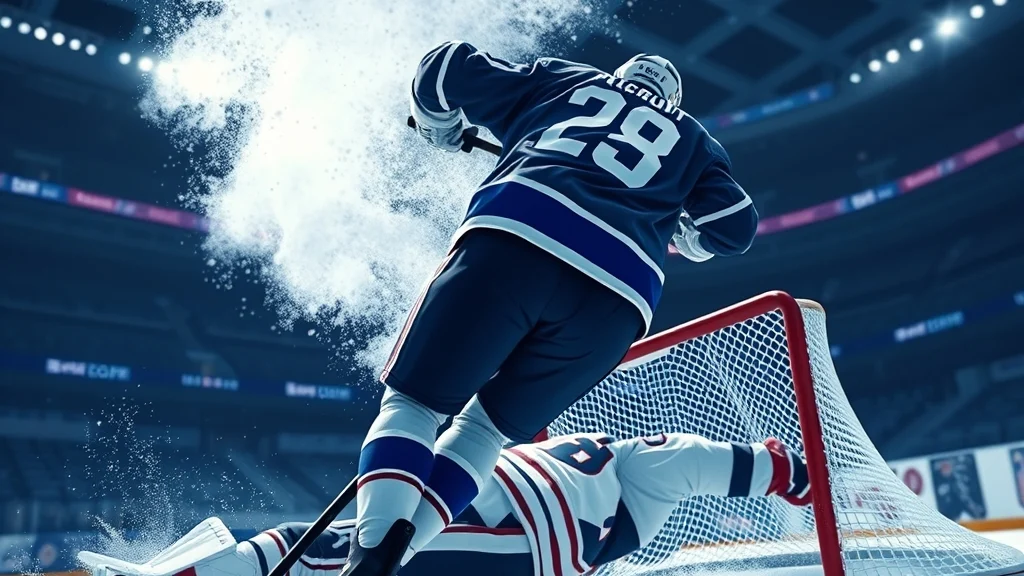
Deke when a defender commits to you or a goalie is set square, and skip it when you have a clean pass or you’re under pressure in your own zone. That one rule will fix most of your turnovers.
Good moments to deke
- Blue line entry, one defender: A quick deke changes the angle enough to carry the puck in instead of dumping it.
- Breakaway: A full skill move makes sense here because nobody can poke it from behind if you’re truly alone.
- Below the goal line: A toe drag or windmill buys time for your linemates to get open in the slot.
- Defender lunging for a poke: A quick deke away from the stick punishes the overreach.
Bad moments to deke
- In your own zone: A turnover here ends up in your net. Make the simple pass.
- Three defenders around you in the slot: Overhandling in the slot loses the puck to a poke check. Shoot or pass instead.
- When your skater is tired: A gassed player loses the puck more often. Change lines first.
- Against teams that collapse: NHL 27 gives every club its own system, and defenders will double-team puck carriers in opportunistic situations across all three zones. A lone dangler into a double team is a gift to the other team.
A simple decision rule
| Situation | Best play |
|---|---|
| One defender, space behind him | Quick deke or windmill, then drive |
| One defender, no space | Protect the puck, wait for support |
| Two or more defenders | Pass or shoot |
| Goalie only | Skill move, then shoot to the open side |
| Your own zone | No deke, make a simple pass |
This lines up with EA’s own design goal. The developers say playing smart, authentic hockey is the most rewarding way to play NHL 27, and that shows in how often lone dangles get shut down.
Why your dekes aren’t working and how to fix them
Most failed dekes come from four problems: too much speed, bad distance, too many moves, or the wrong player. Each has a simple fix.
Common mistakes and fixes
- Deking at full hustle. Hustle gives you speed but less puck control. Fix: let go of hustle two or three strides before the move.
- Starting too close. If you’re already inside the defender’s stick reach, the animation won’t finish. Fix: start at about a stick length and a half.
- Chaining moves. Three dangles in a row look great in practice and fail against real defenders. Start with a single move to change the puck’s angle, like a basic toe drag or a fake shot into a pass, before trying between-the-legs or lacrosse moves.
- The wrong skater. A fourth-line grinder and a top-line sniper don’t get the same results from the same input. Fix: give the puck to your skilled players.
- Pressing too early. Holding LB or L1 the whole way up the ice delays some inputs. Fix: hold it only when you’re about to deke.
Pro tip: If the lacrosse move keeps failing, check your angle. It works best when you approach the net from below the goal line, not straight down the slot.
When the button isn’t the problem
Sometimes the input really doesn’t register. Check these in order:
- Wrong scheme: Face button skill moves only work in Total Control. If you switched to Skill Stick by accident, LB plus a face button won’t do what you expect.
- Worn bumpers: Test LB or L1 in your console’s controller settings. A sticky bumper will make dekes unreliable.
- Stick drift: On Skill Stick, a drifting right stick can make you stickhandle on your own and mess up your timing. Test it in your console settings and recalibrate or replace the controller.
- Wireless lag: If moves feel late online, try a wired controller to rule out input delay.
Related tricks worth knowing
The best dekers in NHL 27 combine dekes with puck protection, fake shots, and smart passing. These tricks make your dekes work better without adding new inputs to learn.
Puck protection
Holding the left stick and right stick together shields the puck with your body. Protecting the puck through traffic often works better than trying to beat someone clean. Use it along the boards to wait for support, then deke once a teammate pulls a defender away.
Fake shot into a pass
Start a shot motion, then pass instead. The goalie and defenders react to the shot, and your teammate gets an open lane. This works especially well on two-on-ones, where the defender has to guess.
Saucer passes after a deke
A deke that pulls a defender toward you leaves a lane open behind him. The official controls list a dedicated Saucer Pass input, so you can lift the puck over a stick after the deke. That deke-then-saucer combo gets a lot of tap-in goals.
Practice routine that sticks
Spend ten minutes in Practice mode before ranked games:
- Five quick dekes at the blue line against a defender.
- Five toe drags into a shot from the slot.
- Five breakaways using a different skill move each time.
- Five protect-puck plays along the boards.
Heads up: Practice against the goalie, not an empty net. Moves that work on an empty net teach you the wrong timing.
Read the team you’re playing
Every opponent plays a different system now. Every team in NHL 27 has a Team-Specific Playbook built from real NHL EDGE positional data, so a team that forechecks hard will take away your time to deke in the neutral zone. Watch how the opponent defends for a period before you start dangling. For more tactics, our nhl game tips cover Be a Pro and Franchise Mode in more depth. If you’re building a team of dekers, the nhl franchise guide has tips on finding high-skill forwards in the draft and free agency.
FAQ
What button is deke in NHL 27?
The deke modifier is LB on Xbox and L1 on PS5 in Total Control, Skill Stick, and Hybrid. A quick tap gives you a quick deke, and holding it while using face buttons or the right stick gives you the bigger moves.
What is the easiest control scheme for deking in NHL 27?
Total Control is the easiest because each skill move is a single button press while you hold the deke modifier. Skill Stick gives you more moves and finer control, but the right stick inputs take practice.
How do you do the lacrosse move in NHL 27?
In Total Control, the lacrosse move has its own button while you hold LB or L1. Check the controls screen in the game for the exact face button on your layout before you take it into a real game.
Why do my dekes keep getting poke checked?
You’re usually starting the move too close to the defender or chaining too many moves in the slot. Start the deke about a stick length and a half away and finish with a shot or pass after one or two moves.
Does deking work the same in Be a Pro and Franchise Mode?
Yes, the controls are the same in every mode. In Be a Pro, your player’s attributes matter more because you’re stuck with one skater, so a low-skill player will lose more pucks on fancy moves.
Can you deke in NHL 27 on PC?
No, NHL 27 only came out on PlayStation 5 and Xbox Series X and S. EA has not released a PC version.
Sources


1 comment