

Key facts
- Madden NFL 27 launched on Nintendo Switch 2 on August 13, 2026, at a regular price of $69.99.
- A Performance Pro mode lets gameplay reach 60 FPS, a big step up from the 30 to 40 FPS Madden 26 ran at on Switch 2.
- Franchise, Madden Ultimate Team, Superstar and online head to head are all in the Switch 2 version.
- Switch 2 is not in EA’s crossplay pool, so you only get matched with other Switch 2 players online.
- Plan on 57 GB or more of free storage, and the physical release is a Game-Key Card that still needs a download.
Madden 27 on Switch 2 is the full game, with every mode, a new 60 FPS Performance Pro option and the new Franchise Persona Engine. The one big catch is that Switch 2 still has no crossplay. If you sat through last year’s choppy 30 to 40 FPS port, year two is a lot smoother, but there are a few setup choices and gotchas to know before you kick off.
Here’s what we’re working with.
How Madden 27 on Switch 2 works compared to other platforms
Madden 27 on Switch 2 is basically a one-for-one port of the current-gen game, and the real differences come down to performance, storage and online play. EA officially revealed EA Sports Madden NFL 27 and confirmed it would launch for the Switch 2 and other platforms on August 13, 2026, so Nintendo players got it on day one alongside everyone else. That’s still a nice thing to say out loud. Madden 26 was the first Madden entry released on a Nintendo console since Madden NFL 13 on Wii U and Wii, and that gap felt longer than our playoff drought.
Feature parity across modes
Everything you’d expect is here. Hands-on testing found that Madden NFL 27 is essentially a one-for-one content port for the Switch 2, with Franchise, Madden Ultimate Team and Superstar all included. Online head to head matchups are also included in the Switch 2 version.
That means the big headline features from this year’s madden nfl 27 cycle show up on the Nintendo side too. The all-new Persona Engine transforms Franchise into a reactive, evolving league where every NFL athlete has a distinct, realistic personality that informs their motivations, demands, and reactions. On the field, cornerbacks can now “attach” to receivers to interfere with routes in a way that mimics the actual game.
What is actually different on Switch 2
There are four differences that matter. The first is the graphics mode choice. The Switch 2 version offers two graphics modes, Visual Pro for sharper looking graphics and Performance Pro, which focuses on delivering the game at 60 frames per second. That option is a treat for PlayStation 5 Pro and Nintendo Switch 2 players only, according to EA’s own sights and sounds breakdown.
The second is crossplay, which you don’t get. EA’s published crossplay pool covers PC, PlayStation 5 and Xbox Series X and S, and Nintendo Switch 2 is omitted from EA’s current supported crossplay platform list. The third is controls. One reviewer noted it was a shame there aren’t any Switch-specific control options, so don’t expect motion passing or Joy-Con 2 mouse controls.
The fourth is image quality. The game holds up well, but one review said the game has somewhat of a grainy look on Switch 2. It’s not a dealbreaker, just something to expect if you’re coming from a PS5 on a big TV.
| Feature | Switch 2 | PS5, Xbox Series X and S, PC |
|---|---|---|
| Franchise with Persona Engine | Yes | Yes |
| Madden Ultimate Team | Yes | Yes |
| Superstar | Yes | Yes |
| Online head to head | Yes, Switch 2 players only | Yes |
| Crossplay | No | Yes, within the crossplay pool |
| Graphics mode choice | Performance Pro or Visual Pro | PS5 Pro only among consoles |
| Switch-specific controls | None | Not applicable |
What you need before you start Madden 27 on Switch 2
Before you start, you need a Nintendo Switch 2, about 60 GB of free storage, and a Nintendo Switch Online membership if you plan to play anyone online. The game costs the same as everywhere else. The regular price is $69.99 on Nintendo Switch 2. The ESRB rating is E (Everyone), with in-game purchases that include random items, which is the Ultimate Team packs talking.
Storage is the real hurdle
This is where most of us hit our first wall. Hands-on coverage reported that this version weighs in at 57.1GB, roughly a fifth of the available space on your Switch 2. You’ll also see a figure of about 50 GB floating around, which was probably a pre-launch estimate. Go with the bigger number, then add some room for title updates and roster updates through the season.
The Switch 2 has 256 GB of internal storage, and expansion cards have to be microSD Express. An older standard microSD card won’t run Switch 2 games, so don’t grab the one out of your old Switch and assume it’ll work.
Heads up: The physical version is a Game-Key Card, not a full cartridge. The card unlocks the game, but the data still downloads, so physical buyers need the same 57 GB or more of space as digital buyers.
Online access and the Game-Key Card
Online play needs Nintendo Switch Online. Just as with past iterations of the game, several of the modes in Madden 27 require online connectivity. Ultimate Team is always online, and online head to head is too. You can play Franchise offline against the CPU, though Franchise leagues with friends need you connected.
The Game-Key Card is worth thinking about if you play on the go. The card has to be in the system every time you launch the game, the same as a regular cartridge. If you swap games a lot on the road, digital saves you from carrying the card around, but either way you’re giving up the same storage.
Pre-flight checklist
- Free up at least 60 GB on internal storage or a microSD Express card.
- Confirm your Nintendo Switch Online membership is active if you want online play.
- Connect to stable Wi-Fi or plug in a LAN adapter in the dock for the first download and any day-one patch.
- Charge a Pro Controller if you have one, since full four-quarter games on Joy-Con 2 can wear on your hands.
- Decide which mode you’re playing first, because that decides your graphics setting (more on that next).
One more thing for returning players: Madden 26 saves don’t carry over. Your Franchise dynasty and your Ultimate Team collection stay behind in last year’s game, the same as on every other platform.
Setup choices that matter at the start on Switch 2
The setup choice that matters most is your graphics mode, then your play style and difficulty. Everything else can wait until you’ve played a few games. You can change modes through Pause Menu > Graphics or the main Settings menu, so nothing here locks you in.
Performance Pro vs Visual Pro
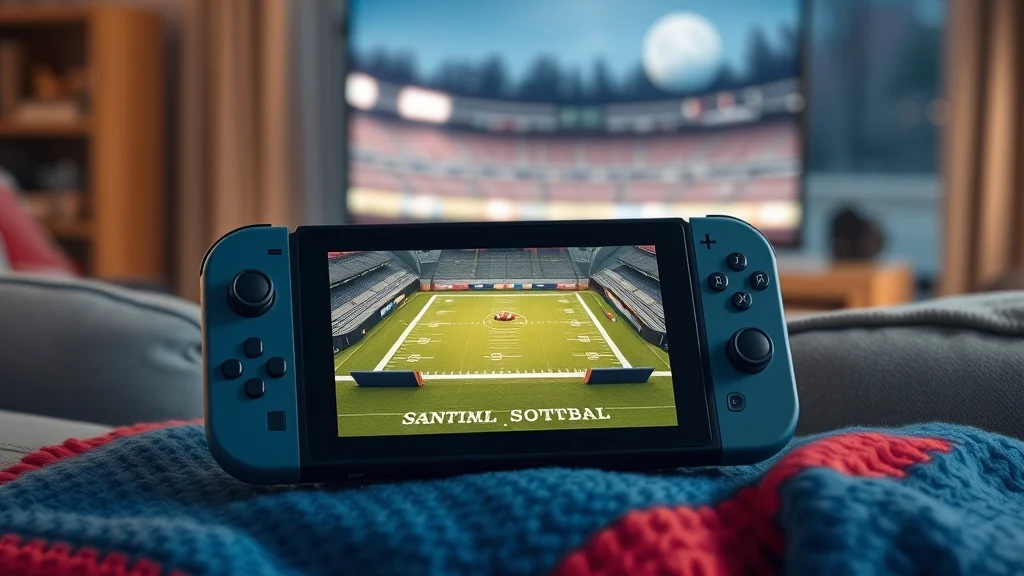
Performance Pro is the default, and it’s the right call for most of us. EA confirmed new performance modes and updated frame rates allowing the game to “reach 60 FPS”, which is a step up on Madden NFL 26 on Switch 2. Docked, players report Performance Pro delivers a smooth consistent 60fps experience and still appears to be 1080p’ish.
Handheld is where things get murkier. EA’s notes say Performance mode targets 60 FPS gameplay docked and 40 FPS handheld on Switch 2; on-field presentation remains 30 FPS. Some reviews describe a 60 FPS target in both modes, though. 40 FPS Either way, Switch 2’s handheld screen supports VRR, so anything between 40 and 60 still feels smooth in your hands.
Visual Pro trades frames for looks. It’s a visual quality setting that drops frames to highlight some of the game’s graphical flourishes, like dynamic weather effects and lighting, and it runs at 30 FPS in both docked and handheld.
| Setting | Docked target | Handheld target | Best for |
|---|---|---|---|
| Performance Pro (default) | 60 FPS | 40 to 60 FPS, see note above | Online head to head, Ultimate Team, passing timing |
| Visual Pro | 30 FPS | 30 FPS | Simulating Franchise weeks, snow games, screenshots |
| Cutscenes and presentation | 30 FPS | 30 FPS | Same in both modes |
Gameplay style, difficulty and controller
After graphics, pick your gameplay style. Madden 27 plays much the same as last year, with several flavors of arcade or simulation styles and plenty of ways to tweak offensive and defensive mechanics. Competitive mode settings are what you’ll get in online head to head, so if you plan to play online, practice offline on those same settings.
Controller choice matters more on Switch 2 than anywhere else. The Joy-Con 2 in handheld is fine for Franchise menus and short drives, but the face buttons are small for fast pre-snap adjustments. A Pro Controller docked feels much closer to the PlayStation or Xbox pad that most Madden muscle memory comes from.
Pro tip: Set graphics by mode, not by mood. Use Performance Pro for anything where timing decides the result, and Visual Pro only for slow, menu-heavy Franchise sessions.
Strategies that win on Madden 27 Switch 2, step by step
The way to win on Switch 2 is to play to the hardware’s strengths. Use 60 FPS for timing-heavy football, keep offline and online habits separate, and plan around the loading times. The football itself plays the same as on other systems. The habits around it are what change.
Step-by-step game plan
- Lock in Performance Pro before any competitive game. Throwing with timing, catching a receiver at the top of his break and hitting a hole on a zone run all get easier at 60 FPS. That’s why Madden 27 is a real upgrade over Madden 26, where you were stuck at 30 to 40.
- Learn the new defensive tools offline first. The new cornerback attach mechanic and the defensive adjustments are where Madden 27 changed the most. One preview called the improved defensive logic and customizable adjustments a reason to look forward to playing defense for the first time in ages.
- Expect a smaller online pool. No crossplay means you’re only matched with Switch 2 players. In practice you’ll see the same playbooks and tendencies more often, so scouting a repeat opponent’s go-to play pays off.
- Batch your Franchise sim time. Loading isn’t quick. On the Switch 2, simply loading into a quick play match took twenty-five seconds to start. Handle your roster moves, contract talks and depth chart in one menu session instead of bouncing in and out of games.
- Use handheld for the right modes. Franchise management, Superstar progression and Ultimate Team solo challenges work well on the go. Save online head to head for docked play on a wired or strong connection.
- Spend smart in Ultimate Team. The packs and market work the same on Switch 2. For grinding without opening your wallet, our guide on how to get coins in madden 27 covers which activities pay best.
Mode-specific priorities
Superstar is a good fit for handheld because you’re controlling one player in short bursts. The Superstar mode adds “boss battles” this year, and if you’re figuring out what position and archetype to pick, our madden 27 superstar build guide goes through the trade-offs.
Franchise is where the Persona Engine makes your choices stick. Players now react to how you treat them, so contract talks and playing time decisions have consequences beyond the salary cap. Fair warning, it isn’t universally loved. One review called the facelift a busted mess in most ways, while another praised the depth. My take is that it’s ambitious and a little rough, but more interesting than anything Franchise has done in years.
A worked example: taking over the Bills on Switch 2
Let’s walk through a real setup: a Bills Franchise played mostly handheld, plus a few online games docked on the weekend. It’s the most common way people actually use Madden on a Switch 2, and it shows where each setting earns its keep.
Week zero, setup on the couch
You buy the digital version, check System Settings, and find 41 GB free. That isn’t enough. You archive two games you haven’t touched since spring, get past 60 GB, and start the download over Wi-Fi. While it installs, you charge the Pro Controller for docked play later.
First boot, you leave graphics on Performance Pro, since it’s the default. You start a Franchise as the head coach of the Buffalo Bills, which means Josh Allen under center and the usual sky-high expectations. Gameplay style goes to simulation, and difficulty stays at a level where you win most games but still have to earn them.
Preseason, handheld on the commute
The first real Franchise work is the roster. With the Persona Engine, each player has his own personality and motivations, so the veteran wanting a new deal and the young receiver wanting snaps aren’t just numbers anymore. You make all your depth chart and contract decisions in one long menu session. That avoids the 25-second load in and out of games.
For the preseason games themselves, you switch to Visual Pro through Pause Menu > Graphics. You aren’t playing anyone online, and nobody is grading your preseason throw timing. Better lighting at 30 FPS is fine here, and you’re simulating half the snaps anyway.
Week 1, docked against the Dolphins
Regular season, docked on the TV. You switch back to Performance Pro, and the difference is obvious on the first deep shot, when the ball and the receiver’s break line up the way your thumbs expect. You use the new cornerback attach on third downs to slow down their speed receivers, which is about all any of us have ever wanted against Miami.
Saturday night, online head to head
A friend on PS5 wants to play. This is where the crossplay gap bites. He can’t match with you, so you either find a friend who also owns it on Switch 2 or queue into the Switch 2-only pool. You go online docked, on Performance Pro, with the same competitive settings you practiced on, and you lose a close one to a stranger running the same corner route six times. We have all been there.
The takeaway from the weekend is that one console can run a full Madden season. You just have to manage storage up front, flip graphics modes depending on the situation, and accept that your online circle is Switch 2 players only.
Advanced tactics and edge cases on Switch 2
Beyond the basics, most edge cases come down to docking behavior, the Game-Key Card, frame rate consistency and the smaller online pool. They don’t come up every session, but they matter when they do.
Docking mid-game
You can dock or undock without restarting. On Performance mode, docking or undocking switches between the gameplay targets without a reload, and Performance is the Switch 2 default. That makes it practical to start a Franchise game on the couch handheld and finish it on the TV. The one thing to watch is the handheld frame rate dip, so a fourth-quarter two-minute drill is better played docked if you have the choice.
Frame rate in practice
Players who owned both years are clear about the difference. One said the “up to” 60fps Performance Mode is notably smoother and the menus are also faster than last year. Remember that “up to” wording. Docked is consistent, while handheld moves around depending on the scene, and cutscenes and replays stay at 30 FPS no matter which mode you pick.
Comparing year one and year two
| Attribute | Madden 26 on Switch 2 | Madden 27 on Switch 2 |
|---|---|---|
| Gameplay frame rate | 30 to 40 FPS | Up to 60 FPS in Performance Pro |
| Graphics modes | None | Performance Pro and Visual Pro |
| Crossplay | No | No |
| Mode parity | Full | Full |
| Launch condition | Server issues and frame rate complaints | Frame rate issues addressed |
The year-one review noted a drop in the frame rate to 40fps on Switch 2, and Madden 26 on the Switch 2 started out a bit rough with framerate issues plaguing the game, and EA tackled these issues with Madden 27.
Is it worth upgrading from Madden 26?
Here’s a simple decision rule. If you mainly play online or Ultimate Team, the jump to 60 FPS alone justifies it. If you mainly play offline Franchise, it depends on how much the Persona Engine appeals to you. One review put it bluntly: outside of the enhanced, smoother framerate, there’s really not too much here to be excited about in terms of modes if you’re coming from Madden 26. If you skipped last year, it’s an easy call.
Pro tip: If you split time between a Switch 2 and another console, pick one platform for Ultimate Team. Your squad and coins don’t follow you to the Switch 2, so building two teams cuts your progress in half.
For squad-building on any platform, our mut 27 tips cover building a strong lineup without overspending.
Common mistakes to avoid with Madden 27 on Switch 2
The most common mistakes are about storage, crossplay expectations and leaving the wrong graphics mode on, not about football. They’re all easy to avoid once you know them.
Mistakes that cost you time
- Buying the physical copy to save storage. The Game-Key Card still downloads the full game, so physical and digital take the same space.
- Using an old microSD card. Switch 2 games need a microSD Express card. Your old Switch card will hold screenshots, not Madden.
- Budgeting 50 GB. The installed size has been reported at 57.1 GB, and updates add to that over the season. Leave yourself a cushion.
- Hopping in and out of games in Franchise. At roughly 25 seconds per load, ten unneeded loads is four minutes of staring at a loading screen. Batch your menu work.
Mistakes that cost you games
- Playing online in Visual Pro. Dropping to 30 FPS for nicer weather in a competitive game is like wearing dress shoes to practice. Switch back to Performance Pro before you queue.
- Expecting to play friends on other consoles. No crossplay means your PS5 and Xbox friends can’t join. Sort that out before you buy, not after.
- Learning defense online. The new attach mechanic and defensive adjustments deserve a few offline games first. Testing them against a human in a close game is how bad habits form.
- Running long online sessions handheld. Online head to head plays best docked with a Pro Controller and a stable connection. Handheld frame rates and small buttons stack the deck against you.
Heads up: Several modes need an internet connection even if you aren’t playing someone directly. If you plan to play Ultimate Team on a flight, you can’t.
The fair take
Madden 27 on Switch 2 isn’t the prettiest version, and the lack of crossplay still stings in year two. But it’s the full game, it runs at a frame rate that finally feels like Madden, and you can play a Bills season on the couch, on the train or on the TV without losing a thing. For a Nintendo player who waited from Madden 13 to Madden 26 for any NFL game at all, that’s a pretty good place to be.
FAQ
Does Madden 27 on Switch 2 have crossplay?
No. EA’s supported crossplay pool covers PC, PlayStation 5 and Xbox Series X and S, and Nintendo Switch 2 isn’t on that list. Switch 2 players only get matched with other Switch 2 players.
Does Madden 27 run at 60 FPS on Switch 2?
Yes, in Performance Pro mode, which is the default. Gameplay targets 60 FPS docked, while Visual Pro mode drops to 30 FPS for better lighting and weather effects.
Is the physical Switch 2 version of Madden 27 on the cartridge?
No. The physical release is a Game-Key Card, which means the cartridge works as a license and the game itself downloads to your system. The card has to be inserted every time you play.
Do I need Nintendo Switch Online to play Madden 27 on Switch 2?
You need it for online head to head and other online multiplayer. Offline play against the CPU works without it, but several modes, Ultimate Team included, need an internet connection.
Does my Madden 26 Franchise or Ultimate Team carry over to Madden 27 on Switch 2?
No. Every Madden year starts fresh, so Franchise saves and Ultimate Team collections from Madden 26 stay in Madden 26.
Are there motion or mouse controls in Madden 27 on Switch 2?
No. Reviewers pointed out there are no Switch-specific control options, so the game plays with a standard button layout on Joy-Con 2 or a Pro Controller.
Sources


1 comment