

Key facts
- NBA 2K27 Rhythm Shooting only makes a shot if the Timing is green, so tempo alone no longer saves you.
- Push or Release is the safest starting Shot Timing Visual Cue, and Shot Feedback should be set to All Shots.
- Turning the shot meter off gives you a timing bonus once you know your release cue.
- Update 2.0 on October 8, 2026 fixed ghost contests, boosted mid-range in competitive modes and slightly rebalanced threes.
- Changing one thing at a time, your jumper, your cue or your input, is the fastest way to find the problem.
To shoot better in NBA 2K, pick one jumper, set your Shot Timing Visual Cue to Push or Release, turn Shot Feedback to All Shots, and rep one shot type until the feedback says you’re on time every time. That advice matters even more this year, because NBA 2K27 made timing stricter than anything we’ve dealt with in a while. Here’s what we’re working with.
The first things to do before you shoot in NBA 2K27
The first thing to do is understand that a make in NBA 2K27 depends on hitting a green Timing window, not on luck. Based on community feedback, successfully hitting a shot with Rhythm Shooting strictly requires greening the Timing. If your release is off, nothing else saves you, and once you accept that, every other tip gets easier.
Know which game you’re actually playing
NBA 2K27 is the current version, and it’s current-gen only. It released Friday, Sept. 4, 2026 on PS5, Xbox Series X and S, Nintendo Switch 2 and PC via Steam, with no last-gen versions. If you still have an older 2K installed, don’t bring its timing habits over. 2K changes the green windows every year, and old muscle memory is the most common reason a “broken” jumper isn’t actually broken.
Pick your input and commit
You can shoot two ways: hold and release the shoot button (Square on PS5, X on Xbox) or use the Pro Stick (right stick) for Rhythm Shooting. These are not equal in difficulty this year. Players using Rhythm Shooting not only need to master the rhythm of pushing the joystick, but also correct timing. Button shooting only asks for the timing part.
My take: if you’re new or rusty, start on the button. Rhythm Shooting has a higher ceiling, but learning two variables at once is how good players turn into 28 percent shooters for a week.
A first-session checklist
- Open Options/Quit, then Controller Settings, and set the Shot Timing Visual Cue to Push or Release.
- Set Shot Feedback to All Shots so every attempt tells you early, late or on time.
- Leave the shot meter on for now. You’ll turn it off later.
- Choose one jumpshot and do not change it for at least a few sessions.
- Go to a practice setting and take only one shot type, such as standstill catch-and-shoot threes.
- Write down what the feedback says over 20 attempts before you touch anything else.
Pro tip: Treat your setup like a playbook. If you change the jumper, the cue and the input all on the same night, you’ll never know which change helped and which one hurt.
Why one shot type matters
Your timing isn’t the same on every shot. Standstill and moving shots each carry their own baseline timing. Learning a stationary three first gives you a reference point, and every other shot (off the dribble, fades, moving threes) gets measured against it.
Settings worth changing before you play
The settings worth changing first are the Shot Timing Visual Cue, Shot Feedback and the shot meter, because they decide how much timing information you get. Everything else is fine-tuning. NBA 2K27 lets you separately adjust your Shot Meter, Shot Feedback, visual cue, Pro Stick orientation, and meters for different types of attempts.
Recommended shooting settings
| Setting | Where to find it | Learning value | Competitive value | Why |
|---|---|---|---|---|
| Shot Timing | Controller Settings | On | On | Lets you control your own release |
| Shot Timing Visual Cue | Options/Quit > Controller Settings | Push | Push or Release | Later cues give more reaction time |
| Shot Feedback | Controller Settings | All Shots | All Shots | Shows timing and tempo on every attempt |
| Jump shot meter | Options/Quit > Customize HUD > Shot Meter Shots | On | Off | Meter off adds a timing bonus |
| Free throw meter | Customize HUD | On | Your call | Set separately from jump shots |
| Dunk meter | Customize HUD | On | On | All dunks now use the meter |
| Pro Stick Orientation | Controller Settings | Absolute | Absolute | Consistent stick direction for Rhythm Shooting |
Visual cue: Push or Release
Most competitive players land in the same place. Push or Release both give you more reaction time than Jump or Set Point. Here’s what each one means on the animation: for Push, release the input right when the player is pushing the ball away from their head; with Release, let go at the very apex of the jump, right about when the ball breaks contact with the player’s hands.
Neither one is magic, and nobody is hiding a secret best answer. The best cue depends on your jump shot animation and personal preference. Push is the friendlier starting point because the moment is easier to see.
Meter on or off
Turn the meter off once you can recognize your release without it. 2K gameplay director Mike Wang confirmed that NBA 2K27 retains the 10% meter-off shooting boost. 10% To turn it off, go to Options/Quit > Customize HUD > Shot Meter Shots > Visibility for Shots.
You don’t need to kill every meter at once. NBA 2K27 lets you adjust the meters for jump shots, dunks and layups, and free throws separately.
Shot Feedback is your coach
Shot Feedback is the most useful setting in the game this year. The feedback overlay now separates two distinct failure modes: whether your timing was early or late, and whether your tempo was fast or slow. If you shoot with the Pro Stick, that split tells you exactly which half of the motion to fix.
Heads up: Real Player % shooting exists, but it takes the timing out of your hands. Use Shot Timing: Real Player % only if you cannot time shots manually.
Core shooting mechanics that decide most games
The mechanics that decide most games are the green window, the contest at release and shot selection. Get those three right and the rest is detail.
The green window
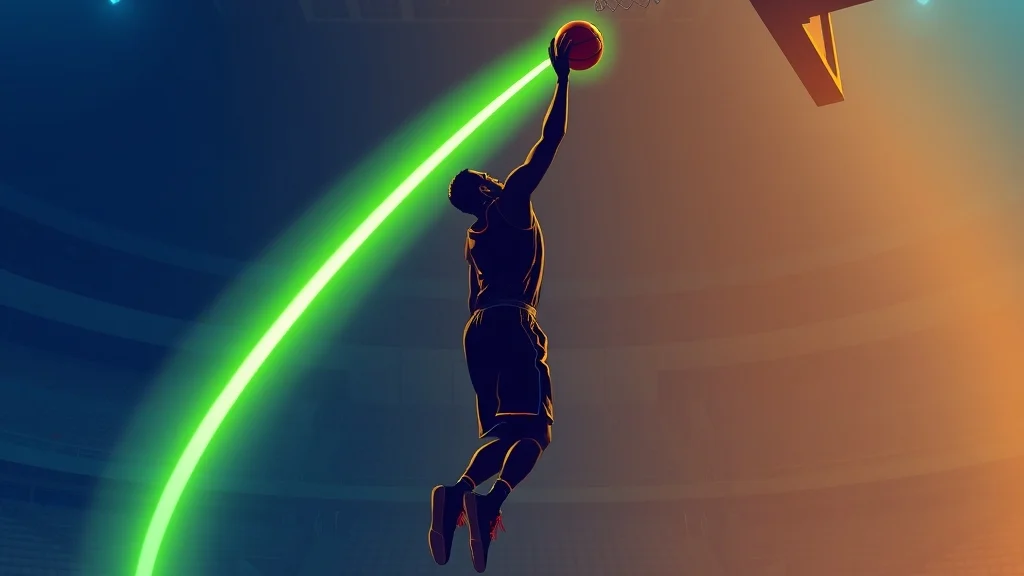
Every jumper has a timing window, and you either hit it or you don’t. Higher shooting ratings and badges widen that window; the shot meter helps you learn the timing, and turning it off grants a larger green window once your cue is anchored. That’s why a 60 three-point build and an 86 build feel like different games. Same button, much smaller target.
Ratings also gate certain animations. In NBA 2K27, some animation thresholds have changed and become more stringent, for example Kevin Durant’s signature shot requires a shooting ability of 94. If a jumper you used last year is greyed out, that’s why.
Timing and Tempo on the Pro Stick
Rhythm Shooting splits your shot into two checks. Tempo is how smoothly you move the stick down and up, and Timing is when you finish the motion. The Shot Meter gives players a real-time visual guide to hitting the ideal Tempo with a tick mark synced to Pro Stick movement. Watch that tick while you practice, even if you plan to play meter off later.
The speed of your Pro Stick motion is synchronized with the rhythm of your player’s shooting animation, so you need to be familiar with that animation. A slow, high-arcing release needs a slower stick motion than a quick flick. Rush it and the feedback will tell you so.
Contests at release
Defense matters more in NBA 2K27, and the October patch made contests more honest. Update 2.0 fixed “ghost contests” where defenders who weren’t truly contesting still hurt the shot, and contests now factor in defender position at release and require defenders to be more squarely in front of the shooter.
For shooters, this is good news. A late closeout from the side hurts you less than it did at launch, but a hand squarely in your face still does. If you green a shot and it misses, look at where the defender was when the ball left your hands.
Shot selection
The same patch rewarded smart shots. Open shots from quality shooters are more effective, mid-range gets a boost in competitive modes, and overall three-point percentages have been slightly rebalanced. In plain English: take the open look your build is good at, and stop treating the mid-range like a parking ticket.
| Shot type | Timing difficulty | When to take it |
|---|---|---|
| Standstill catch-and-shoot | Lowest | Any open look on the kick-out |
| Moving or off-the-dribble | Higher | When the defender is a step behind |
| Mid-range pull-up | Medium | After a screen, especially after Update 2.0 |
| Contested or fading | Highest | Shot clock under three, nothing else there |
Pro tip: Before you blame your timing, ask whether you’d take that shot with your real-life buddies watching. If the answer is “only if I was feeling it,” it’s probably a bad shot in 2K too.
Shooting tips for each NBA 2K27 mode
Shooting works on the same system in every mode, but how much your timing matters, and what shots you should hunt, changes with the mode.
MyCAREER, the Park and Rec
This is where timing is everything, because you’re playing against people who know the game. Run meter off, Push or Release, and only the jumpers your build can actually green. For online play (Park, Rec, Pro-Am, MyCAREER), the competitive consensus is Shot Meter off, Shot Timing Visual Cue on Push or Release, and Shot Feedback on All Shots while you learn.
Custom jumpers feel faster this year, so expect an adjustment. In MyPLAYER, the release speed with custom jump shot animations is significantly faster than in 2K26, and even if you manually lower the release speed to 75%, the overall pace remains extremely rapid. Don’t panic if your first 30 shots feel early. That’s normal.
MyTEAM
In MyTEAM you shoot with many different players, each with their own animation. That makes a single visual cue even more valuable, because Push or Release lands at roughly the same visual moment on any jumper. Build a small group of reliable shooters you know well instead of cycling through every new card.
MyNBA and Play Now
Offline against the CPU, you can afford the meter on, and you should if you swap between players a lot. The meter is also a useful teacher here: practice a new team’s best shooters with it on, then take it off when you’re comfortable.
Free throws
Free throws changed this year. Rhythm Shooting has officially expanded to the free-throw line, making the transition seamless for players who shoot with the Pro Stick. If you shoot with the button, nothing forces you to switch, but Pro Stick shooters now get one consistent motion everywhere.
| Mode | Meter recommendation | Main priority |
|---|---|---|
| MyCAREER and the Park | Off once learned | One jumper, one cue, open shots |
| Rec and Pro-Am | Off | Shot selection and team spacing |
| MyTEAM | Off for main shooters | Learn a small group of animations |
| MyNBA and Play Now | On is fine | Learning many players quickly |
| Free throws (all modes) | On while learning | Consistent rhythm on the Pro Stick |
Platform differences
The shooting system is the same on all four platforms, but patches don’t always arrive on the same day. Update 2.0 released on October 8, 2026 for PS5 and Xbox Series X and S, and PC and Switch 2 received the update separately ahead of Season 2 on October 16. If you play on PC or Switch 2 and timing feels different from a friend’s console, check your game version before you change any settings.
Advanced tips for experienced players
Experienced players should spend their time on meter-off shooting, tempo control and smart Takeover use, because that’s where the last few percentage points live.

Anchor your cue before going meter off
Going meter off before your cue is anchored is like running the no-huddle with a rookie quarterback: fast, exciting and mostly a lot of punts. Pick one visual moment on the animation, such as the ball leaving the fingertips, and watch only that. Stick to one visual cue position long-term to build permanent muscle memory.
Tune with data, not feel
The feedback text gives you a real sample, so use it. Here’s a worked example.
Say you take 20 standstill threes at a practice court with your game-day settings. The feedback reads: 4 Excellent, 12 Slightly Late, 4 Slightly Early. That’s not random. Twelve lates out of 20 means you’re consistently holding too long, so for the next 20 you release a hair earlier on the same cue. If the next set comes back with 11 Excellent, 5 Slightly Late and 4 Slightly Early, you’ve found your fix without changing a single setting.
The rule: if 60 percent or more of your misses lean one way, adjust your release. If they’re split evenly, it’s consistency, not timing, and the fix is more reps.
Tempo before timing on the Pro Stick
Rhythm Shooting players should fix tempo first. A bad tempo moves your timing around, so you’ll chase the release forever. Watch the tick mark during practice and aim for one smooth down-and-up motion, the same speed every time.
Pro tip: If the feedback keeps saying your tempo is fast, the problem is usually the downstroke. Slow down how you pull the stick back, and the upstroke usually fixes itself.
Takeovers and timing windows
Shooting is one of the five Takeover disciplines this year. NBA 2K27 introduces a revamped Takeover system built around the five disciplines: Shooting, Finishing, Playmaking, Defense, and Rebounding. Some shooting Takeovers touch your timing, and Update 2.0 adjusted the timing windows for Shot Artist, Calibrated, and Navigator. If your shot felt different after the patch with one of those equipped, that’s the reason, not your hands.
Read openness, not just the defender
A shot from a step of separation is worth more than a contested one from a better spot. Use screens and relocation to create that step, and get the shot off before the closeout arrives. After the contest fix, a side closeout matters less than one that comes straight at you.
Pro tips most players miss
Most players miss the small habits: practice volume per shot type, display lag, badge ranges and how much the feedback can tell you.
Fix your TV before your jumper
Input lag shifts your timing, and no setting in the game can fix it. Put your TV in Game Mode and turn off motion smoothing. If you play on a monitor, use the fastest response mode available. Players who jump between a living room TV and a bedroom monitor often swear their shot changed. It didn’t. The screen did.
Keep the free throw meter on longer
Lots of players turn off every meter at once. You don’t have to, and you probably shouldn’t. Free throws come up less often than jumpers, so you get fewer reps, and the meter keeps them honest. Turn the jump shot meter off first and the free throw meter off later.
Badge ranges now work as advertised
Update 2.0 improved how shot range is determined for several shooting badges, resulting in more accurate badge activation. If you built a mid-range specialist and felt like your badges weren’t kicking in at launch, test again. Your shot chart may look different now.
When excellent timing still misses
This is the most common complaint, and the answer is usually not your settings. If your feedback says “excellent timing” and you’re still bricking, the problem is the contest and shot type, not your settings. Go back to the shot selection table and be honest about the looks you’re taking.
Practice in the same conditions you play
Practice with the exact settings you use in games: same cue, same meter state, same jumper. Practicing meter on and then playing meter off is like practicing field goals indoors and kicking in Orchard Park in December. The wind is part of the kick.
Heads up: Patch notes change timing windows. When a new update drops, take 20 practice shots before your first competitive game to see whether your release shifted.
Common mistakes and how to fix them
The most common shooting mistakes are changing too many things at once, going meter off too early and blaming timing for bad shots. We have all done at least one of these, usually right after a cold streak.
| Mistake | What it looks like | Fix |
|---|---|---|
| Swapping jumpers every night | Timing never settles | Lock one jumper for at least a week |
| Meter off too early | Feedback scattered early and late | Turn the meter back on until 70 percent of shots are on time |
| Using old 2K timing | Consistently early or late | Re-learn the release from scratch in practice |
| Rushing the Pro Stick | Tempo “too fast” in feedback | Slow the downstroke, keep the motion smooth |
| Taking contested shots | Excellent timing, still missing | Hunt open looks and mid-range after screens |
| Different settings in practice and games | Shot feels “different” online | Practice with game-day settings only |
| Ignoring patch changes | Timing shifts overnight | Check patch notes and take 20 test shots |
Changing everything after one bad game
One cold game is a sample size of maybe 12 shots. That’s not data, that’s a mood. Before you change anything, take 20 shots of one type in practice and read the feedback. If the timing is fine, your shot selection was the problem.
Learning Rhythm Shooting and a new jumper together
These are two different skills. Learn the new jumper on the button first, then move it to the Pro Stick once the release is automatic. Trying both at once doubles your misses and teaches you nothing.
Copying someone else’s setup exactly
Another player’s cue and jumper fit their reaction time, their screen and their habits. Use popular setups as a starting point, then trust your own feedback. Which visual cue is objectively best? None.
Forgetting about the dunk meter
The dunk meter isn’t a jumpshot, but it costs players points in the same way. All dunk attempts now require timing using the dunk meter, so keep that meter on while you learn your finishing timing, even if your jump shot meter is off.
FAQ
Should I turn off the shot meter in NBA 2K27?
Yes, once you can recognize your release cue on the animation. Shooting without the meter comes with a timing bonus, but keep it on while you’re still learning a new jumper.
What is the best Shot Timing Visual Cue in NBA 2K27?
No cue is objectively best, but Push or Release gives most players the most reaction time. Pick one and stick with it so the muscle memory builds.
Is Rhythm Shooting better than button shooting in NBA 2K27?
Not automatically. Rhythm Shooting now needs both a green Timing and a good Tempo, so it is harder to learn, while button shooting only asks you to time the release.
Why am I missing shots with excellent timing?
Usually the contest or the shot type is the problem, not your timing. Look at defender position at release and whether you took a moving or off-balance shot.
Does NBA 2K27 use Rhythm Shooting on free throws?
Yes. 2K expanded Rhythm Shooting to the free-throw line in NBA 2K27, and you can set the free throw meter separately from the jump shot meter.
Did a patch change shooting in NBA 2K27?
Yes. Update 2.0 on October 8, 2026 fixed ghost contests, helped open shots from good shooters, boosted mid-range in competitive modes and slightly rebalanced three-point percentages.
Sources