

Key facts
- MLB The Show 26 released worldwide on March 17, 2026, with Bear Down pitching and an ABS challenge system.
- Pitches are now ranked by real MLB usage rates, and higher-ranked pitches get a smaller Perfect Accuracy Region for better control.
- Pinpoint gives the tightest placement, while Classic is the easiest place to learn sequencing.
- Bear Down temporarily boosts accuracy and velocity, and how fast you earn it depends on the pitcher’s clutch rating.
- Most runs allowed come from three habits: missing middle, repeating the same pitch, and leaving a tired arm in too long.
Good pitching in MLB The Show comes down to three habits: pick one interface you can repeat, keep the ball off the middle of the plate, and change speeds and eye levels every couple of pitches. MLB The Show 26 also changed how accuracy works, so habits that got you through last year can now get you burned. We’ve all watched a “perfect” slider hang over the plate in the ninth. These are the fixes, most important first.
The first things to do before you throw a pitch
Pick one pitching interface and stick with it for at least a week of games. Every interface rewards muscle memory, and if you keep switching, you never build any. The game gives you five options, and they’re built for different skill levels.
Choose your interface
| Interface | How you throw | Difficulty | Best for |
|---|---|---|---|
| Classic | Pick the pitch, aim, throw. Your pitcher’s ratings handle the rest | Lowest | Learning sequencing |
| Pulse | Aim, then press the pitch button when the shrinking circle is smallest | Low to medium | Casual players who want some skill input |
| Meter | Three-press bar for power and accuracy | Medium | Players who like timing |
| Pure Analog | Right stick motion controls power and accuracy | Medium to high | Stick-feel purists |
| Pinpoint | Trace a gesture with the right stick and time the release | Highest | Competitive and Diamond Dynasty players |
On Pulse, you aim with the left stick and then press X at the smallest point of the pulse to increase the accuracy of the pitch as it is released. Meter is a three-step rhythm: press X once to start the meter and again as the bar reaches the top to control pitch power, then set accuracy by pressing X once the bar approaches the yellow line on the way back down.
Pinpoint is the ceiling. After choosing a location, a gesture meter displays with the pattern you must follow for that pitch type and location. You use the right stick to follow the pattern as shown, while timing your motion with the outer ball icon for a good release point.
My take: if you’re new, start with Classic to learn pitch sequencing and batter tendencies before moving to Pulse or Pinpoint. If you plan to play ranked Diamond Dynasty seriously, start grinding Pinpoint now, because the payoff takes weeks.
Learn your pitch buttons by platform
The default face buttons map the same way on every console, just with different labels:
| Pitch slot | PS5 | Xbox Series X and S |
|---|---|---|
| Pitch 1 | X | A |
| Pitch 2 | Circle | B |
| Pitch 3 | Square | X |
| Pitch 4 | Triangle | Y |
| Pitch 5 | R1 | RB |
On Switch, the bottom face button is B instead of A, so expect some misfires if you play on more than one system.
Your first session checklist
- Set your pitching interface under the controls settings before you start any mode.
- Open your ace’s player card and note the order of his pitches. In The Show 26, that order matters (more below).
- Spend 20 minutes in Practice mode throwing only your top two pitches to all four corners.
- Play one full game against the CPU on a difficulty where you win comfortably, and focus on hitting your spots instead of the scoreboard.
- Only then bump the difficulty or jump online.
Settings worth changing before you play
The interface is the biggest setting by a mile, but a few display and difficulty options make pitching far easier to read. Labels shift a little from year to year, so use the table as a guide to what to look for in the Settings menu, not as an exact menu path.
| Setting | Where to look | What I’d use | Why it matters |
|---|---|---|---|
| Pitching Interface | Settings, Controls | Pinpoint (competitive) or Pulse (learning) | Decides how much accuracy comes from your input versus ratings |
| Pitching difficulty | Settings, Gameplay | One level below your hitting difficulty at first | Lets you learn sequencing without getting crushed |
| Dynamic Difficulty | Settings, Gameplay | On for new players, off once you’re settled | Finds your level automatically, then gets in the way when you want consistency |
| Strike zone and pitch location display | Settings, Display or HUD | On | Shows exactly where each pitch landed, which is how you learn |
| Pitch feedback or results display | Settings, Display or HUD | On | Tells you if a miss was your input or your pitcher |
| Camera | Settings, Camera | A behind-the-pitcher view you can see the corners from | A good angle makes edge targets readable |
Difficulty is a separate dial for pitching
Pitching and hitting difficulty can be set separately in offline modes, and that’s a gift. Plenty of players can hit on All-Star but pitch like it’s batting practice. Set pitching one notch lower until your walks and hard contact come down, then climb.
Turn on every bit of feedback while learning
The pitch location display is your coach. If every miss is up and arm-side, that’s a release timing problem on Pinpoint or a late press on Pulse. Without the feedback, you’re guessing, and guessing is how we all ended up blaming the “scripted” game for our own hanging changeups.
Pro tip: If your misses on Pinpoint keep drifting the same direction, check your controller before your technique. Stick drift on the right stick ruins gestures, and a fresh controller can fix what no amount of practice will.
What changed in settings for The Show 26
San Diego Studio has added two smaller additions to pitching in the settings menu this year. The headline pitching changes, though, are gameplay systems you can’t toggle away: pitch usage rankings, Bear Down and the ABS challenge system. Those shape how you should pitch regardless of settings, so they get the next section.
Core mechanics that decide most games
Most games are decided by location, pitch mix and stamina, and The Show 26 added a new layer to all three. Get these right and the fancy stuff barely matters.
Pitch usage rankings and the PAR
This is the biggest change for 2026. According to the developer, pitches will now be ranked in the repertoire from highest to lowest, based on real MLB usage rates, and pitches ranked higher in a player’s repertoire will have a smaller PAR (Perfect Accuracy Region), resulting in better control. On top of that, a pitcher’s Control (CTRL) rating will also influence the PAR size.
In plain English, a pitcher’s primary pitches are now easier to locate, and the pitch he barely throws in real life is harder to command. Unlike previous editions where pitch spamming was low-risk, MLB The Show 26 actively discourages it.
That makes a simple decision rule possible:
- Pitches 1 and 2: your workhorses. Use them in any count.
- Pitch 3: a real weapon, but don’t throw it to the exact corner when you’re behind.
- Pitches 4 and 5: show-me pitches. Throw them ahead in the count, aimed well off the plate, where a miss doesn’t hurt.
Location beats stuff
The middle third of the zone is where home runs live. Aim at corners and edges, then let the pitch’s movement carry it. For ground balls with runners on, keep the ball low, especially low and away, since a double play gets you out of more jams than a strikeout.
Sequence by count
| Count | Goal | Typical choice |
|---|---|---|
| 0-0 | Steal a strike | Top-ranked pitch on the edge |
| 0-2, 1-2 | Chase | Breaking ball or splitter below the zone |
| 2-0, 3-1 | Avoid a walk without grooving it | Fastball on the black, not the middle |
| 3-2 | Compete | Your most accurate pitch, edge of zone |
| 2-2 | Change eye level | Opposite of the last pitch (high after low) |
Stamina and fatigue
Accuracy drops as a pitcher tires, and it drops faster than most of us notice. Long counts cost stamina, so first-pitch strikes matter beyond the count itself. When an arm that was painting corners starts missing by a ball’s width, that’s your signal, not a slump.
Heads up: The game doesn’t punish tired pitchers loudly. It punishes them quietly, with slightly bigger misses. If you’re seeing three straight hard-hit balls, go to the pen before the fourth leaves the park.
Mode by mode tips
Each mode asks something different of your pitching, so adjust your approach to where you’re playing. For the bigger picture on each mode, our mlb the show guide covers Road to the Show and Diamond Dynasty in more depth.
Diamond Dynasty online
Online hitters punish the middle of the plate harder than any CPU. A few rules that hold up:
- Build your rotation around Control as much as velocity, since Control now shrinks the PAR on every pitch.
- Prefer pitchers whose best real-life pitches sit at the top of their repertoire. A card with a great fifth pitch is less useful than it looks.
- Don’t trust a reliever’s back-end pitch in a tie game. Throw his top two.
- Online opponents sit on patterns. If you’ve started three straight hitters with a fastball, start the fourth with a slider.
The new split of H/9 and K/9 between right-handed and left-handed hitters also matters for lineup building. A reliever who’s strong against lefties might be a liability against a right-handed slugger, so check both numbers before bringing him in.
Road to the Show as a pitcher
In Road to the Show, you’re one arm, not a staff. That changes the priorities:
- Master two pitches before chasing a third. A sharp fastball and one reliable breaking ball will carry you through the minors.
- Efficiency is your friend. Fewer pitches per inning means longer outings and more chances to build your player.
- Practice your interface before your call-up. Pinpoint takes time, and the majors are a bad place to learn it.
Franchise and March to October
Here you manage a whole staff, so bullpen usage is half the game. Pull starters on performance, not on pride. Use the L/R splits to match relievers to hitters late, and save your best reliever for the highest-leverage spot, which isn’t always the ninth inning.
Playing the CPU on higher difficulties
CPU pitchers now mirror real MLB patterns, mixing speeds, working the edges and leaning on go-to pitches, and the CPU hitters are sharper too. On Hall of Fame and Legend, the CPU punishes repeated pitches and hanging breaking balls. Change speeds every two pitches and don’t throw strikes in two-strike counts unless the pitch is your best one.
Advanced tips for experienced players
Once your mechanics are consistent, the gains come from tunneling, Bear Down timing and matchups. This is where good pitchers turn into frustrating ones to face.
Tunnel pitches off the same start
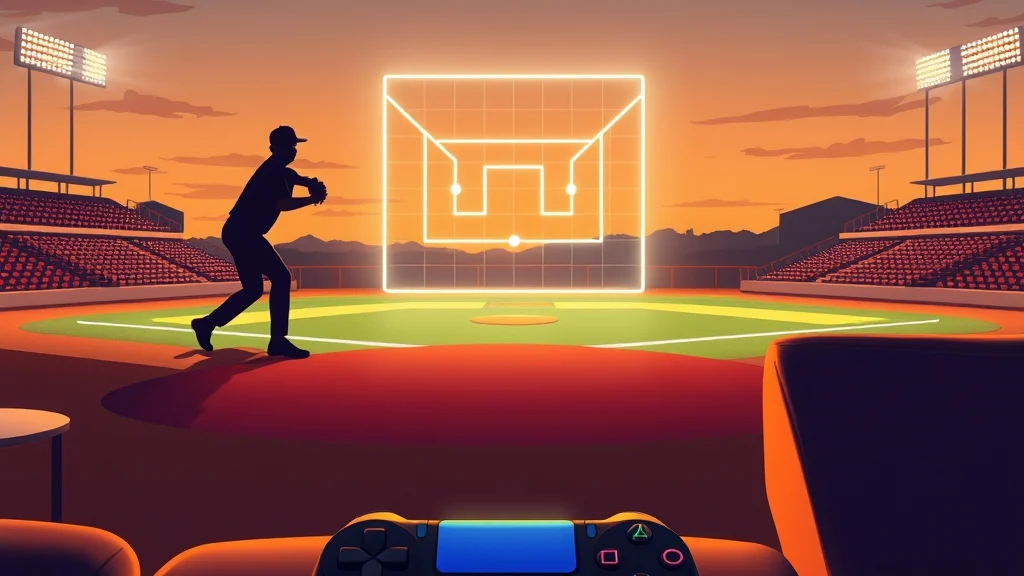
Tunneling means two pitches that look identical out of the hand, then split late. A fastball up and a curveball that starts on the same line but drops below the zone is the classic pair. Fastball low and away followed by a changeup on the same line, fading farther away, is another. This system rewards players who mix, tunnel, and locate with intention.
Time Bear Down for the real jams
Bear Down is The Show 26’s clutch button. This new mechanic allows pitchers to temporarily boost accuracy and velocity in high-leverage situations. How quickly you earn Bear Down momentum and how many pitches you can store depends on your pitcher’s clutch rating. You build Bear Down charges by pitching efficiently: throwing strikes, recording outs, and keeping your pitch count clean.
The catch is that the boost doesn’t fix bad inputs. If your Pinpoint or Meter input is sloppy, the enhanced accuracy won’t save the pitch. Spend it on two-strike pitches with runners in scoring position, not on a 1-0 count in the third.
Worked example: bases loaded, two outs, seventh inning
Say you’re up 3-2 in Diamond Dynasty. Your starter is at 92 pitches, the bases are loaded and a left-handed power bat steps in. Here’s how I’d play it:
- Check the arm. If the starter’s last few pitches missed spots, call the lefty reliever with the better H/9 against left-handed hitters.
- Pitch 1: top-ranked fastball low and away on the edge. It’s your smallest PAR, so it’s your safest strike.
- Pitch 2, ahead 0-1: slider starting on the same line, breaking below the zone. You’re tunneling off pitch 1.
- Pitch 3, at 0-2 or 1-1: fastball up and in to change eye level, slightly off the plate.
- Put-away pitch: spend your Bear Down charge here, then throw the breaking ball below the zone.
Notice what’s missing: the reliever’s fifth pitch. In a bases loaded spot, the pitch he barely throws is the last one you want.
Match the split, not the overall
The overall rating hides the L/R split. A 90-overall reliever with weak numbers against right-handed hitters is worse in that spot than an 85 who’s strong against them. Check splits before every late-inning move.
Pro tips most players miss
A few small habits add up to a lot of outs, and most players never touch them.
Use the ABS challenge
The Show 26 added an ABS system with a new rule allowing the catcher, batter, or pitcher to challenge the home plate umpire’s ball and strike calls. A missed strike three on the corner is a big swing, so learn when you’ve actually painted the edge. Don’t burn a challenge on a pitch you only hoped was a strike.
Pro tip: Keep the pitch location display on so you know whether a borderline call is worth challenging. Your eyes lie on a 3-2 count. The display doesn’t.
Read the catcher’s call and your pitch history
The game can show the catcher’s suggested pitch and your recent pitch history. The suggestion isn’t always right, but the history keeps you from repeating yourself without noticing. If you’ve thrown four straight sliders, the hitter has noticed even if you didn’t.
Hold runners
With a fast runner on first, use the slide step for a quicker delivery, but know it costs you some accuracy. Mix in pickoff throws and deceptive moves too. Even if you never pick anyone off, a throw over shortens leads.
Pitch to the hitter’s weakness, not your strength
Hitter hot and cold zones are worth checking in big spots. If your best pitch runs into a hitter’s hot zone, throw your second-best pitch to his cold zone instead. That’s how Bruce Smith beat tackles for 15 years: he attacked what was weak, not what was comfortable.
Practice the pitch you hate
Ten minutes a session on your worst pitch in Practice mode pays off more than another ranked game. That changeup you never trust will rescue you the night your slider is off.
Common mistakes and how to fix them
The most common pitching mistake is aiming at the middle of the plate and hoping movement saves you. It won’t. Here’s the full list and the fix for each.
| Mistake | What happens | Fix |
|---|---|---|
| Aiming at the heart of the zone | Hard contact and home runs | Aim at edges and let movement work |
| Spamming your fourth or fifth pitch | Missed spots due to the bigger PAR | Use them only ahead in the count, off the plate |
| Repeating the same pitch three times | Hitters time it up | Change speed or eye level every one to two pitches |
| Spending Bear Down early | No boost when the jam arrives | Save it for two-strike pitches with runners in scoring position |
| Leaving a tired starter in | Accuracy fades, misses get bigger | Pull him once he starts missing spots |
| Switching interfaces every week | No muscle memory | Commit to one for at least a week |
| Ignoring L/R splits | Wrong reliever in the wrong spot | Check H/9 and K/9 splits before every late move |
Fixing Pinpoint misses
Most Pinpoint misses come from rushing the gesture or releasing early. Trace the shape cleanly, hold for a beat at the top, then release in time with the ball icon. Watch the pitcher’s delivery as your rhythm guide instead of staring only at the meter.
Fixing walk problems
If you’re walking three or more batters a game, you’re nibbling with pitches you can’t command. Go back to your top two pitches on 2-0 and 3-1 counts, aim them a little inside the edge, and accept some contact. A single beats a walk plus a pitching change.
Fixing the “the game is rigged” spiral
We’ve all been there: three bloop hits, a broken bat double, and suddenly the controller looks like the problem. Check the pitch location display first. Usually, the “perfect” pitches were a few inches into the zone, and one adjustment fixes it.
Heads up: Losing a close game to soft contact isn’t a sign you’re doing it wrong. Good pitching gives up weak hits sometimes. Judge yourself on location and hard-hit balls, not the box score.
FAQ
What is the best pitching interface in MLB The Show 26?
Pinpoint gives the most precise placement when you execute it well, so most competitive players use it. If you’re new, start on Classic or Pulse to learn sequencing, then move to Pinpoint once the rhythm feels natural.
How does Bear Down pitching work?
Bear Down lets a pitcher temporarily boost accuracy and velocity in high-leverage spots. You earn charges by pitching efficiently, and the pitcher’s clutch rating controls how quickly you earn them and how many you can store.
Why is my fourth or fifth pitch so hard to locate?
In MLB The Show 26, pitches are ranked by real MLB usage rates, and lower-ranked pitches have a larger Perfect Accuracy Region, which means worse control. Your Control rating also affects that region.
Can I challenge ball and strike calls as the pitcher?
Yes. The ABS system added in MLB The Show 26 allows the catcher, batter or pitcher to challenge the home plate umpire’s ball and strike calls.
How do I pitch better in Road to the Show?
Learn your two best pitches first, throw first-pitch strikes and avoid long counts so your stamina lasts deeper into games. Practice Pinpoint or Pulse in Practice mode before your first big league start.
What is the easiest way to stop giving up home runs?
Stop aiming at the middle of the zone and stop throwing the same pitch three times in a row. Work the edges, change speeds and change eye level, and pull a pitcher once his stamina is clearly fading.
Sources